e-School Saas
Documentation
By : RizacoWebsolsEmail : rizacowebsols@rizacoassociates.co.in
Thank you for purchasing e-School Saas. We appreciate your support. In this documentation, you will find instructions on how to set up the admin panel and mobile application for e-School Saas. This document also provides features of e-School Saas. If you have any questions, feel free to reach out. Thank you for choosing e-School Saas!
To find your Purchase code you can visit this link: Where is My Purchase code?
Setup Admin Panel
Prerequisite
Eschool Admin panel is built using Laravel Framework 9.14.1 so you need PHP version upto 8.1.0 version installed on your server.
Upload Admin Panel code on server
1. Unzip the code you will see the Admin Panel inside the zip.
2. Upload this folder content on your server in public_html folder.
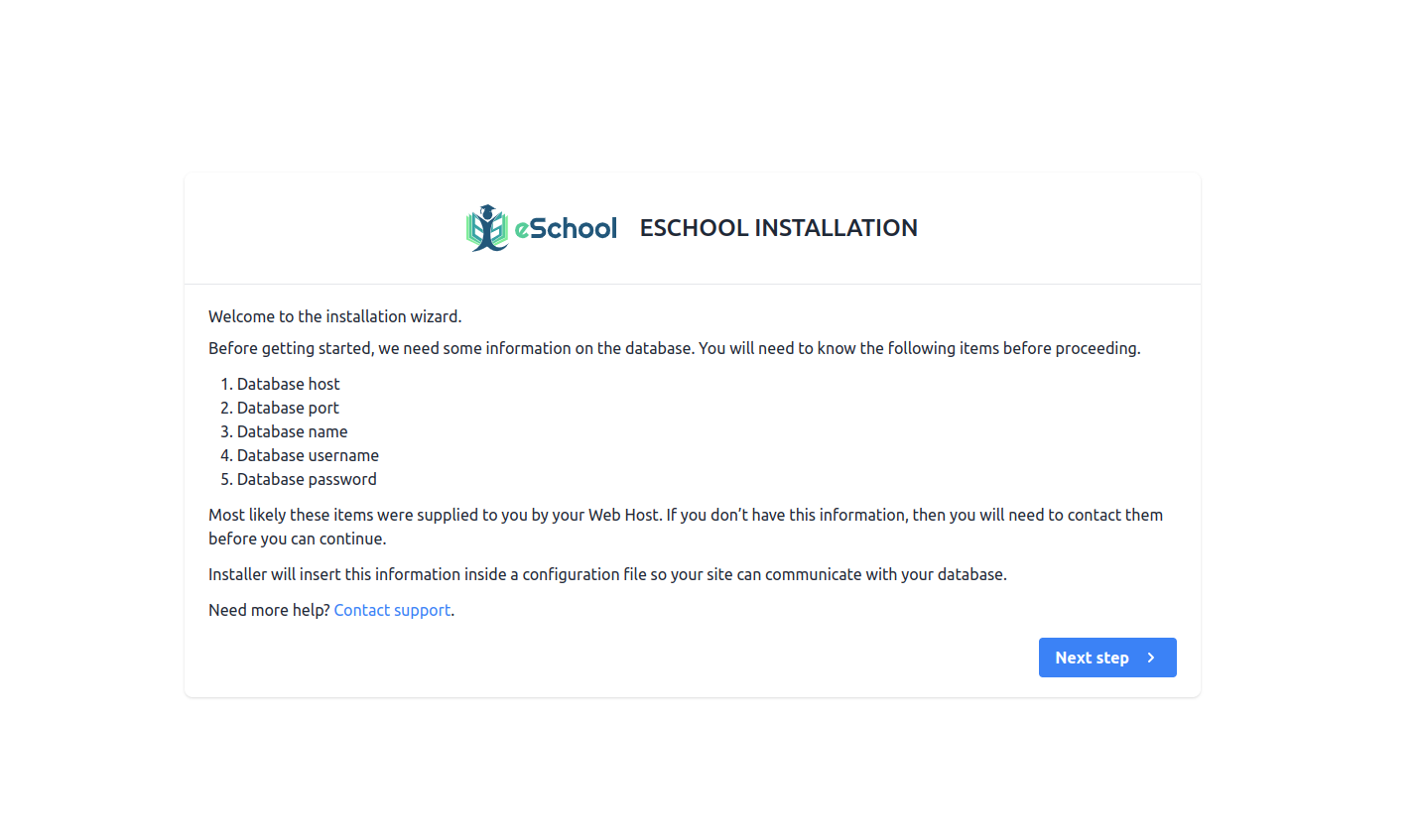
3. After uploading visit your domain url. You will see the installation wizard.Follow the instructions.
Installation Steps
1. Installation Screen
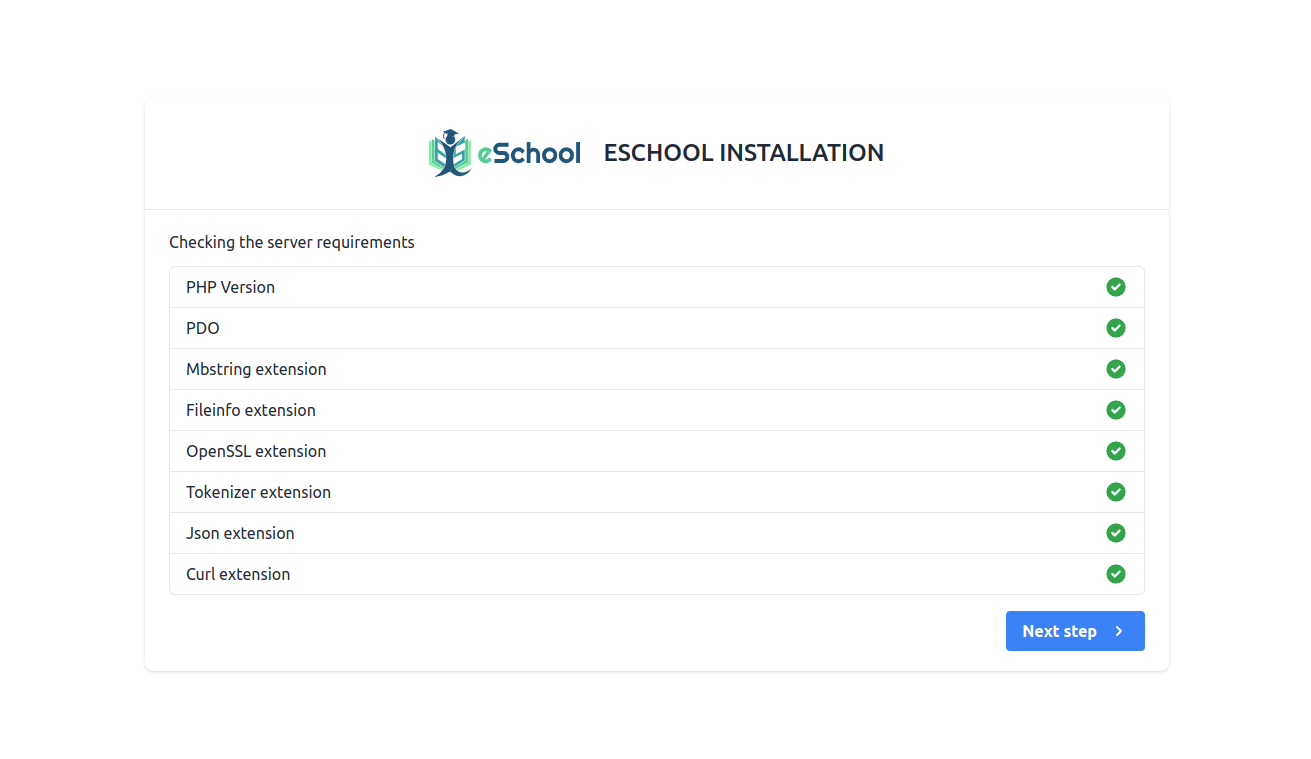
2. Server Requirements & Extensions
If PHP version is lower than 8.0 or any extension is not installed then it will be highlighted using Red color. So you need to make sure that your server meets the all requirement.
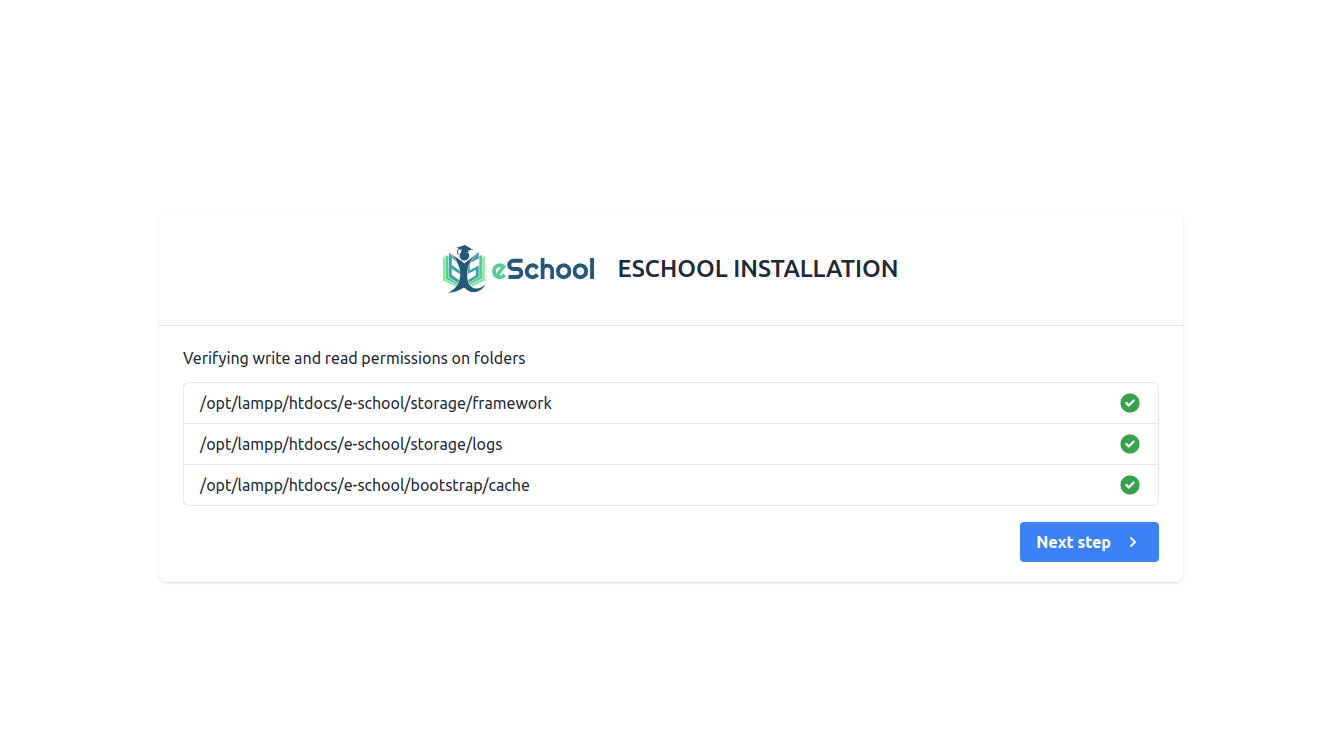
3. Permission Screen
Make sure this folder have read & write permissions. If not then assign this folders read & write permissions.
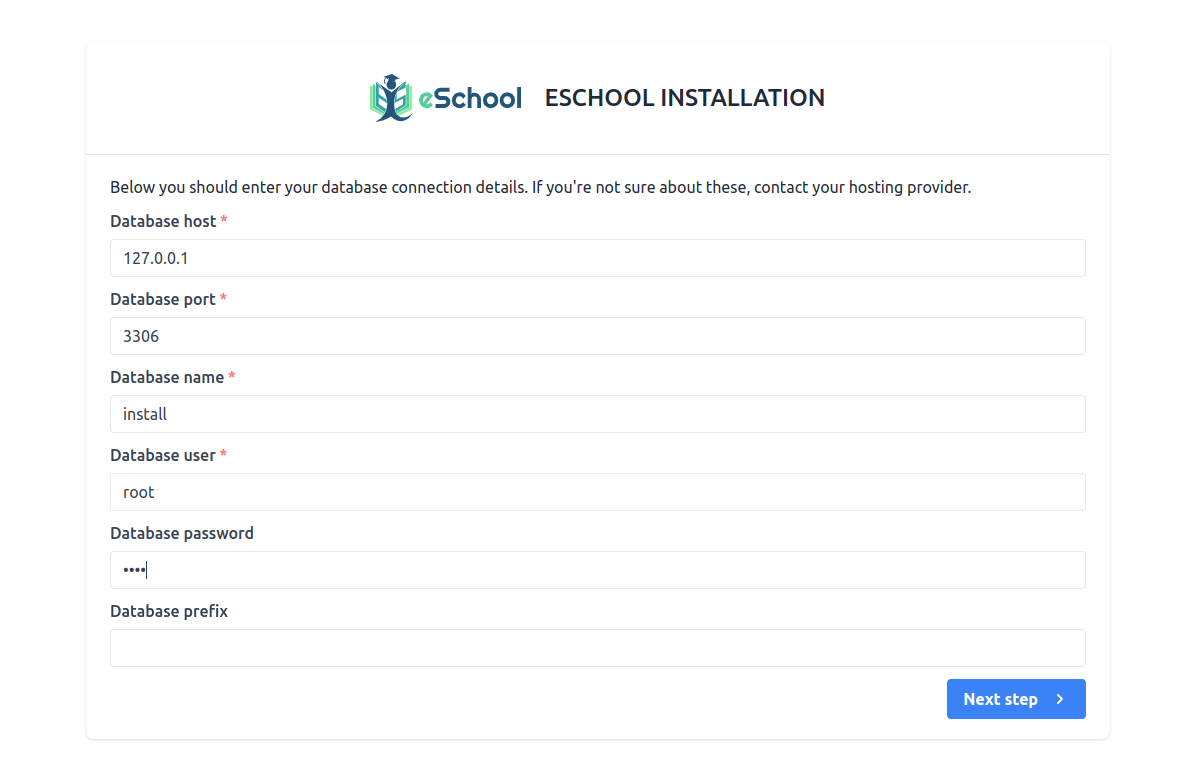
4. Database Configuration Screen
5. Database Connection Status
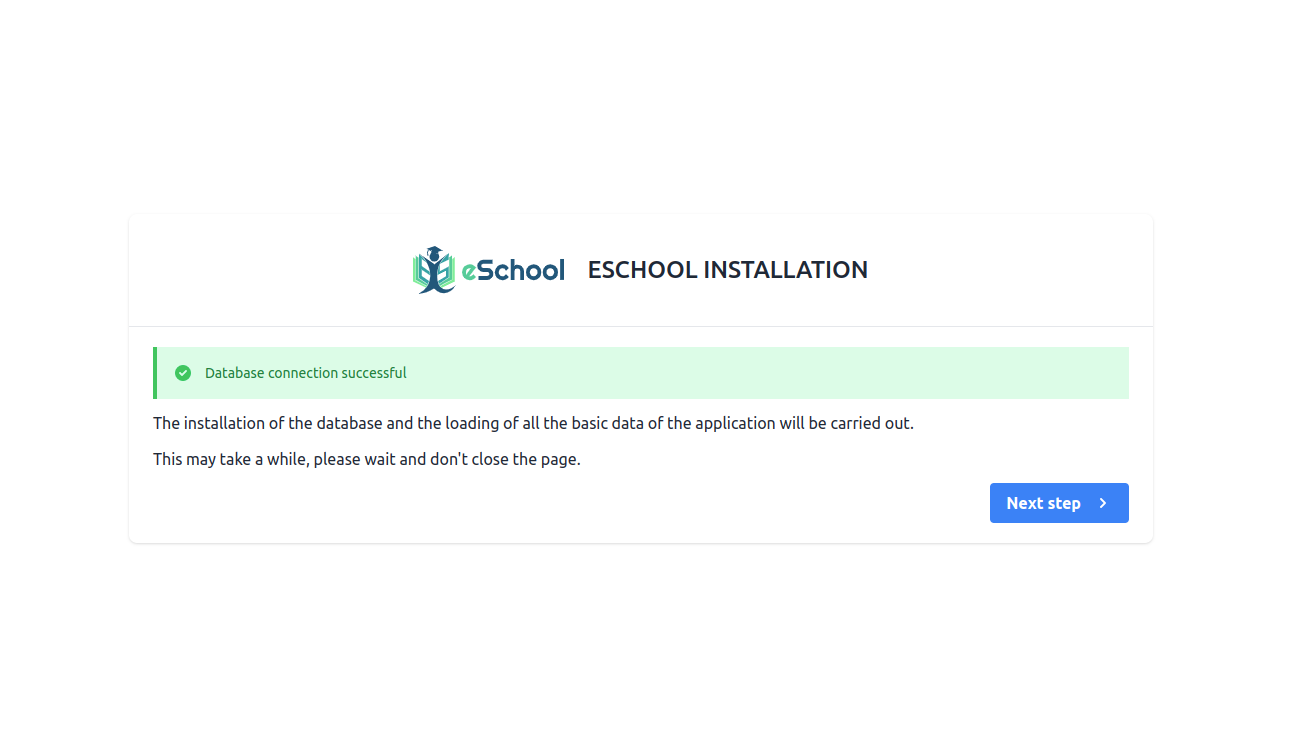
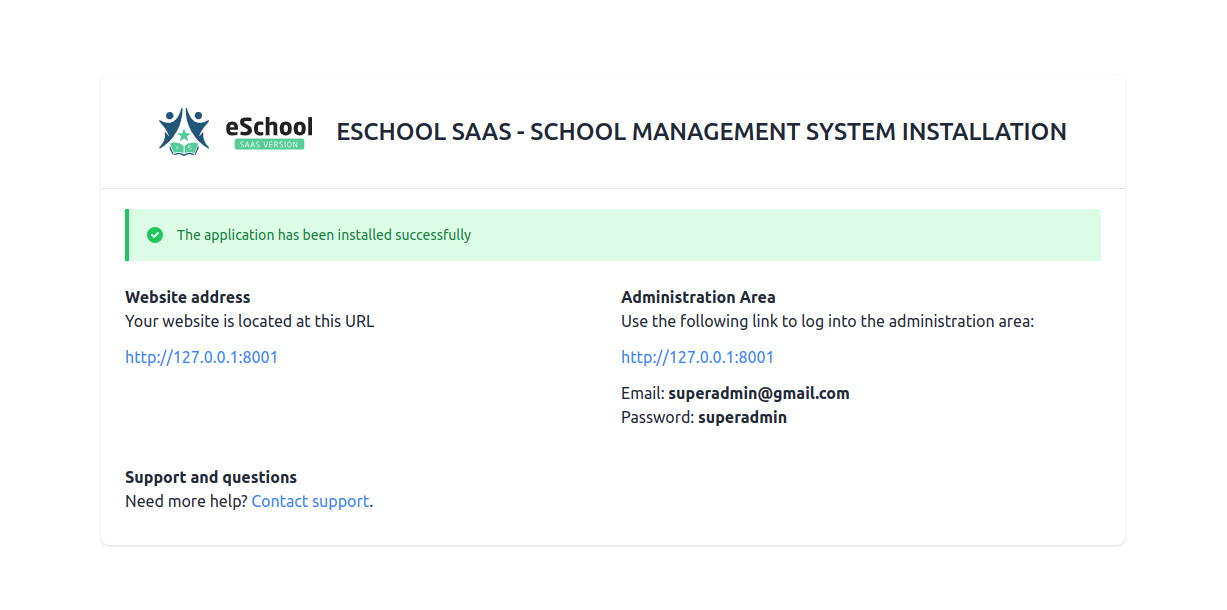
6. Final installation Screen
If everything is configured successfully then your Admin panel has been installed successfully.You can login as Super Admin using the credentials provided here.
Addtional Configurations (Admin Panel)
After Installation you need to setup some settings before using the system.
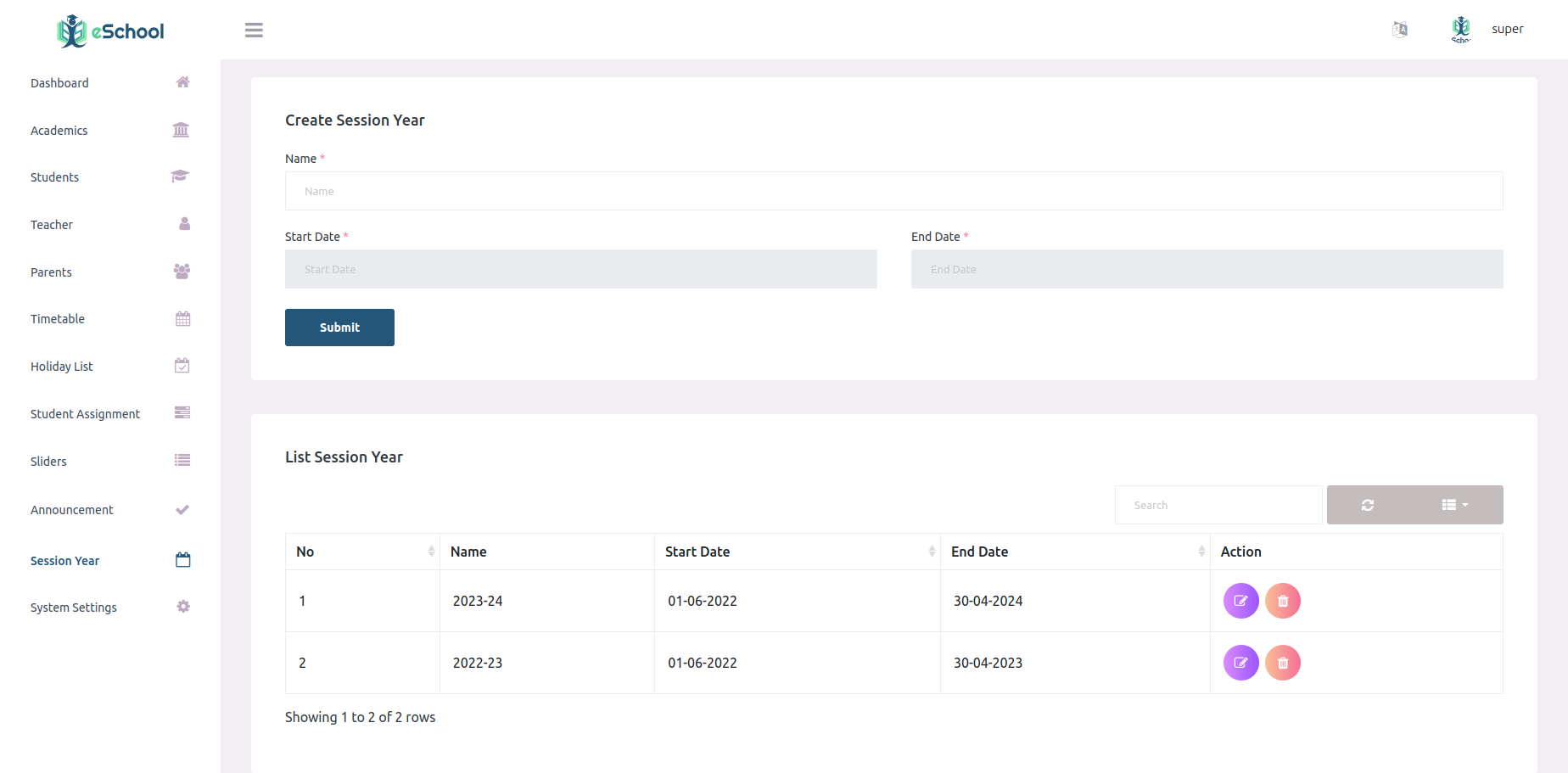
1. Session Year
Set your Current & upcoming session years here, So you can manage studens by session year
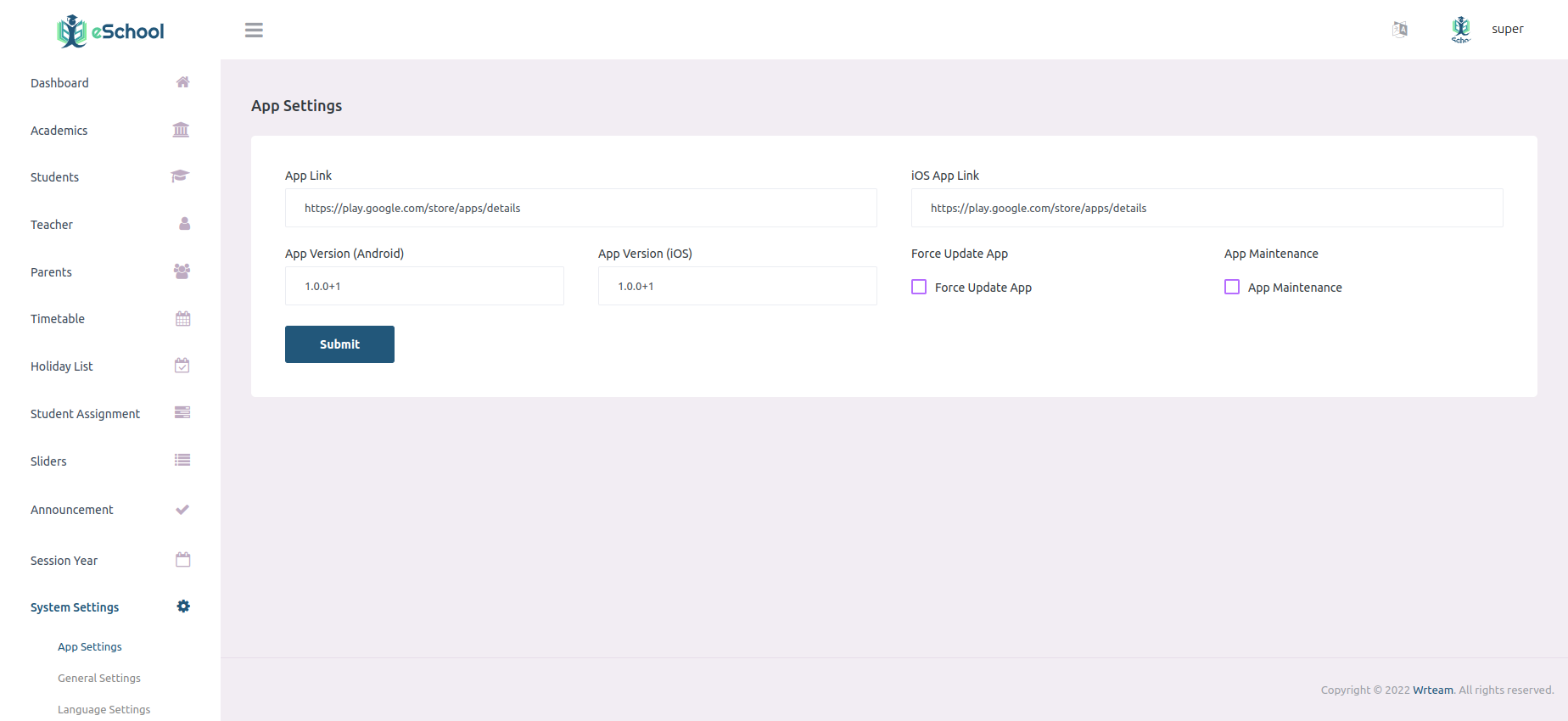
2. App Settings
This settings will be used by your Flutter APP.
3. General Settings
This settings will be used by Admin Panel.You can set your current session year here.
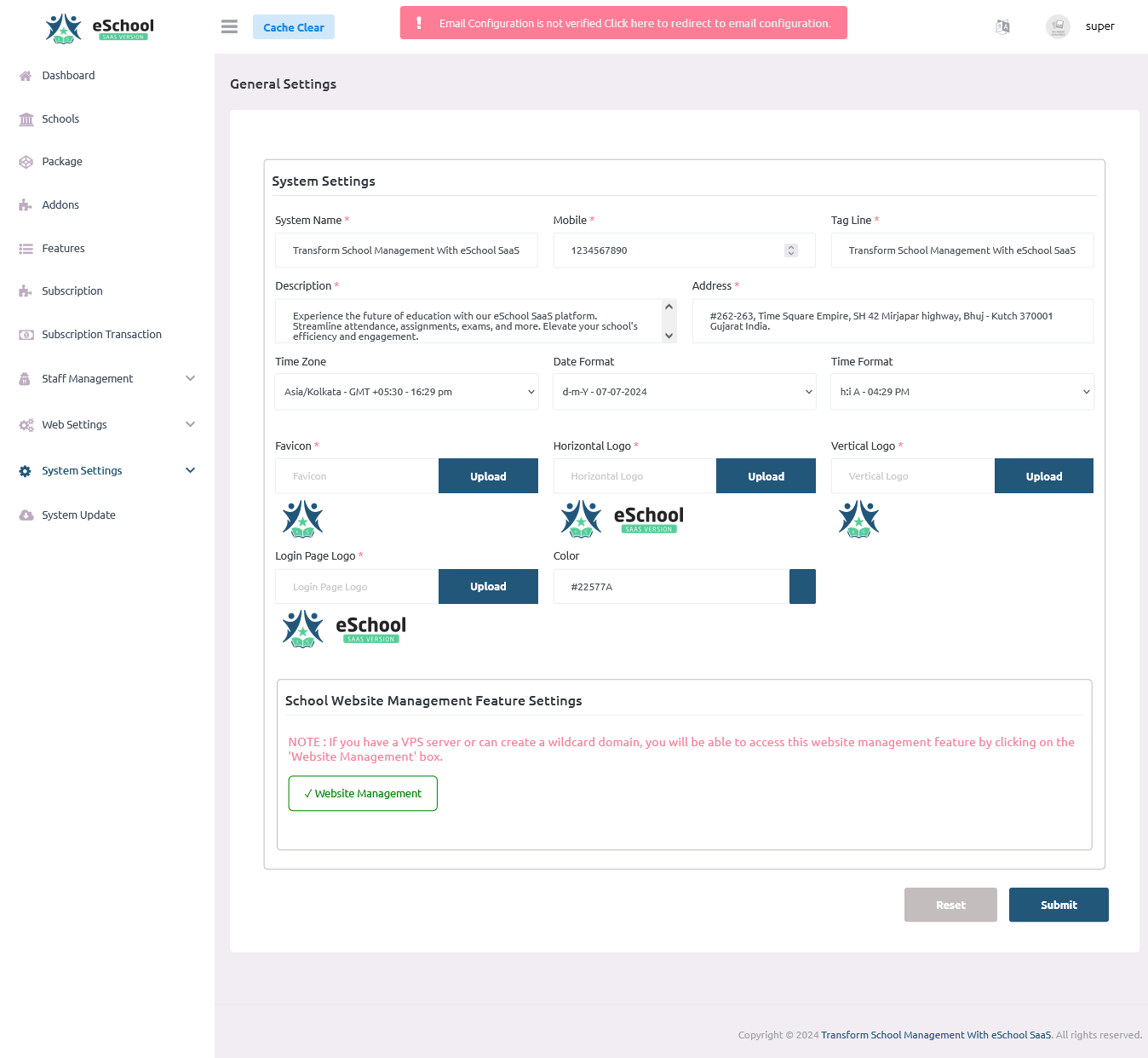
Enable School Website Feature & Create Wildcard Domain
NOTE : If you have a VPS server or can create a wildcard domain, you will be able to access this website management feature by clicking on the 'Website Management' box.- Create wildcard domain
- *.domain.com
- *.subdomain.domain.com
- Note : Point to the main domain folder
- Create DNS A record
- Type : A
- Name : * (*.domain.com)
- Name : *.subdomain (*.subdomain.domain.com)
- Point To : Your server IP
4. FCM Settings
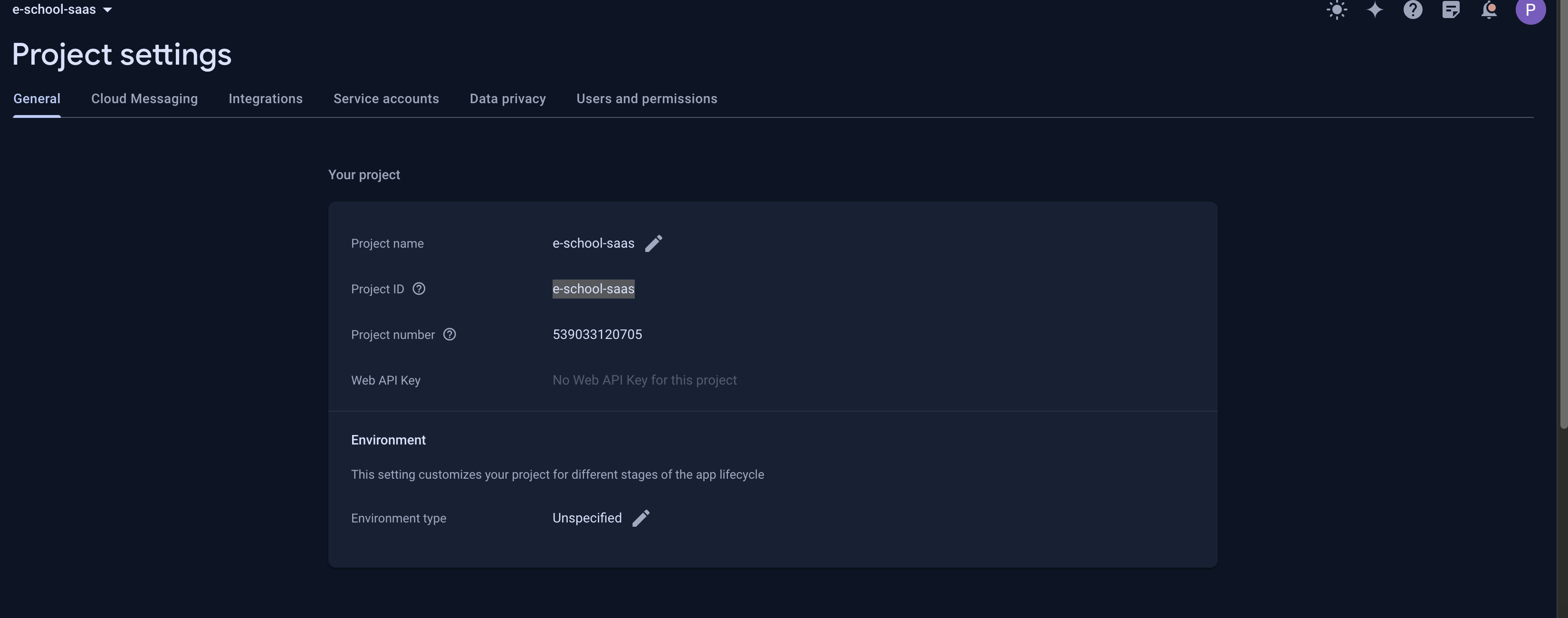
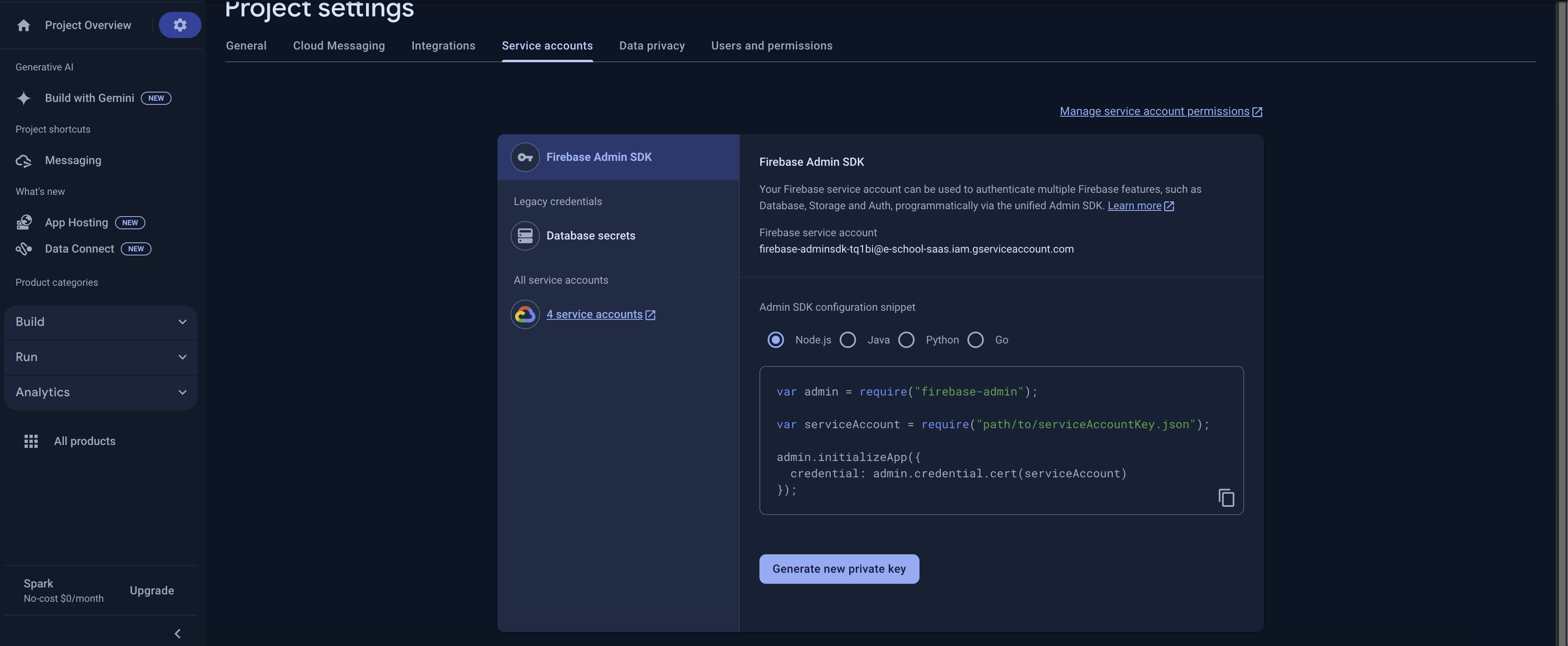
Need to enter Firebase project id and Firebase service file.
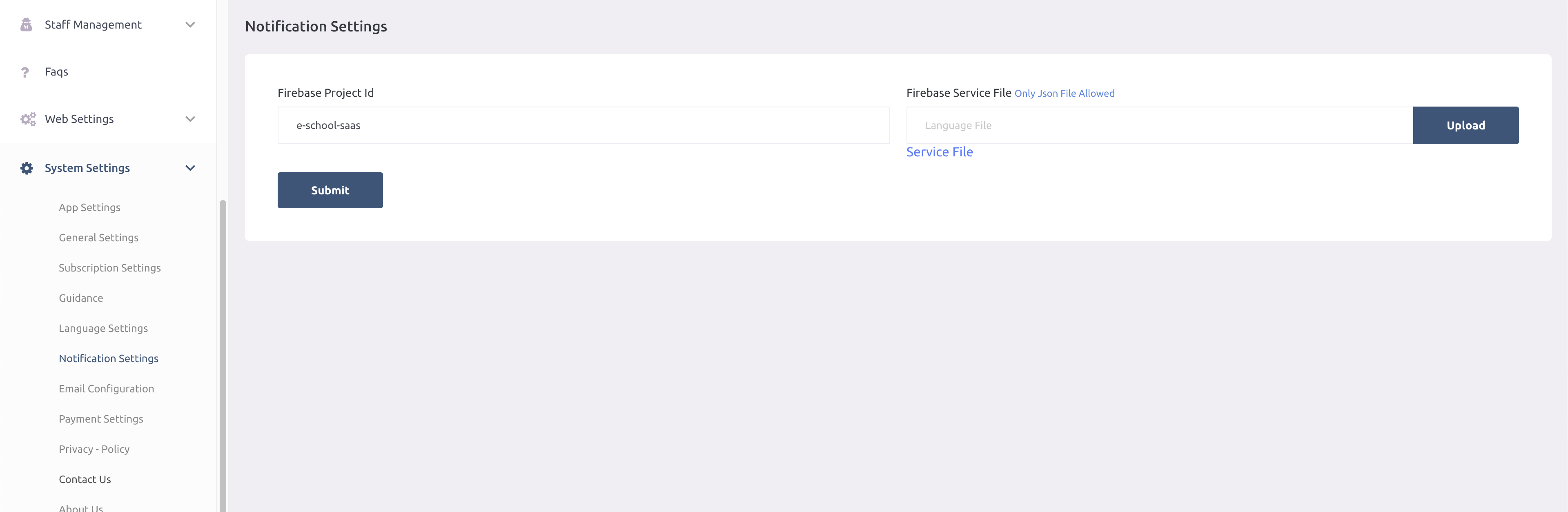
You can get firebase project id and service file as shown in the images.
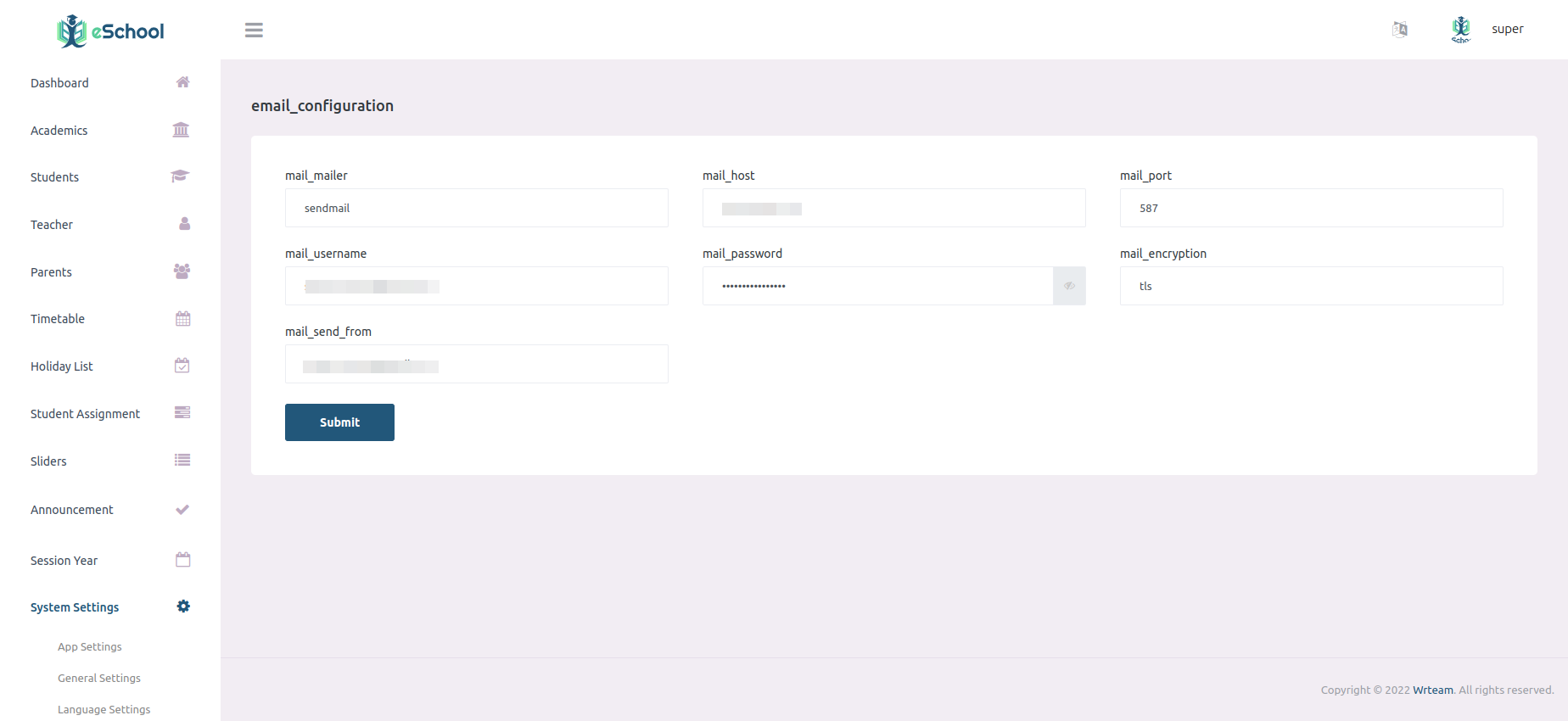
5. Email Configurations
Send Email configurations so that system can send emails to registered users.
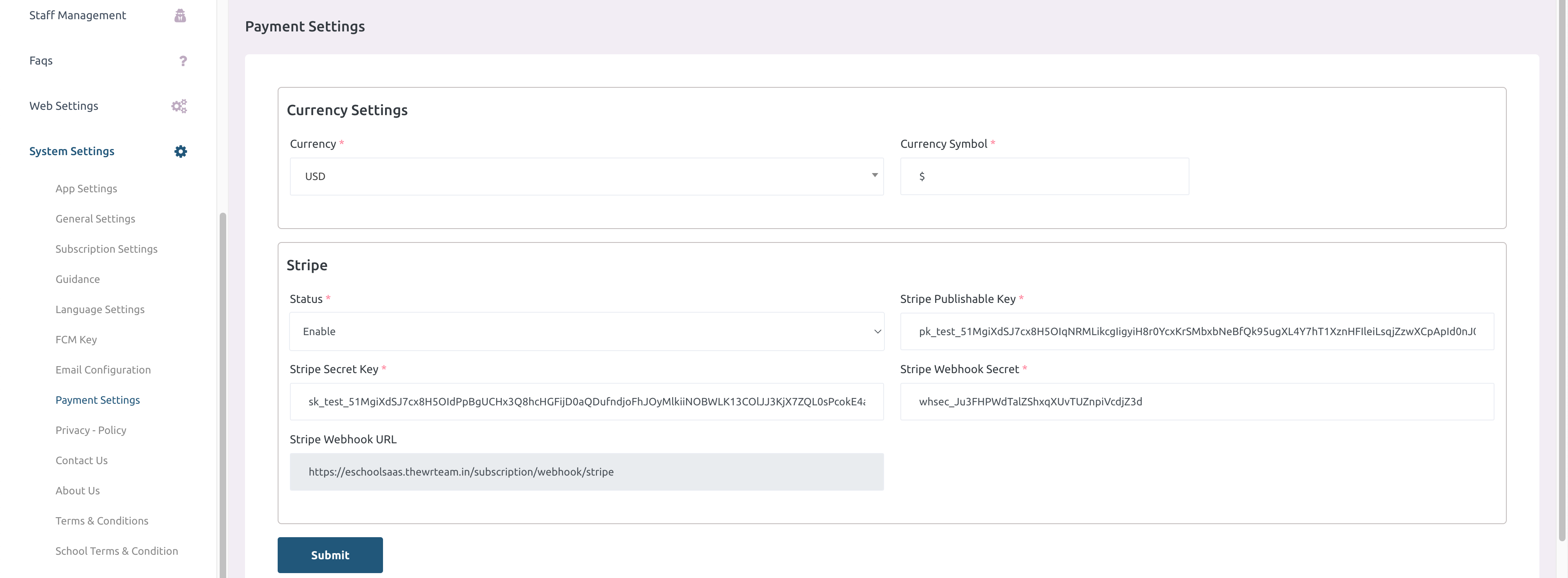
6. Fee payment Configurations
Stripe credentials. At a time only one payment gateway will be enable
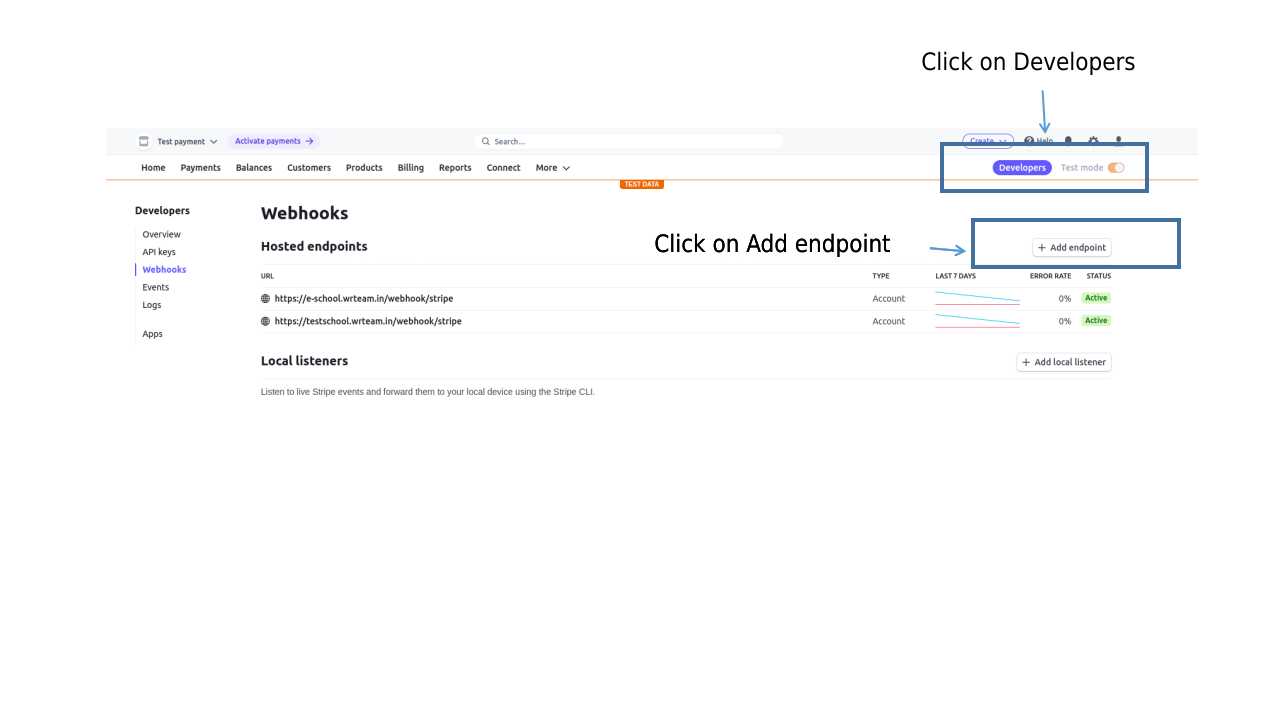
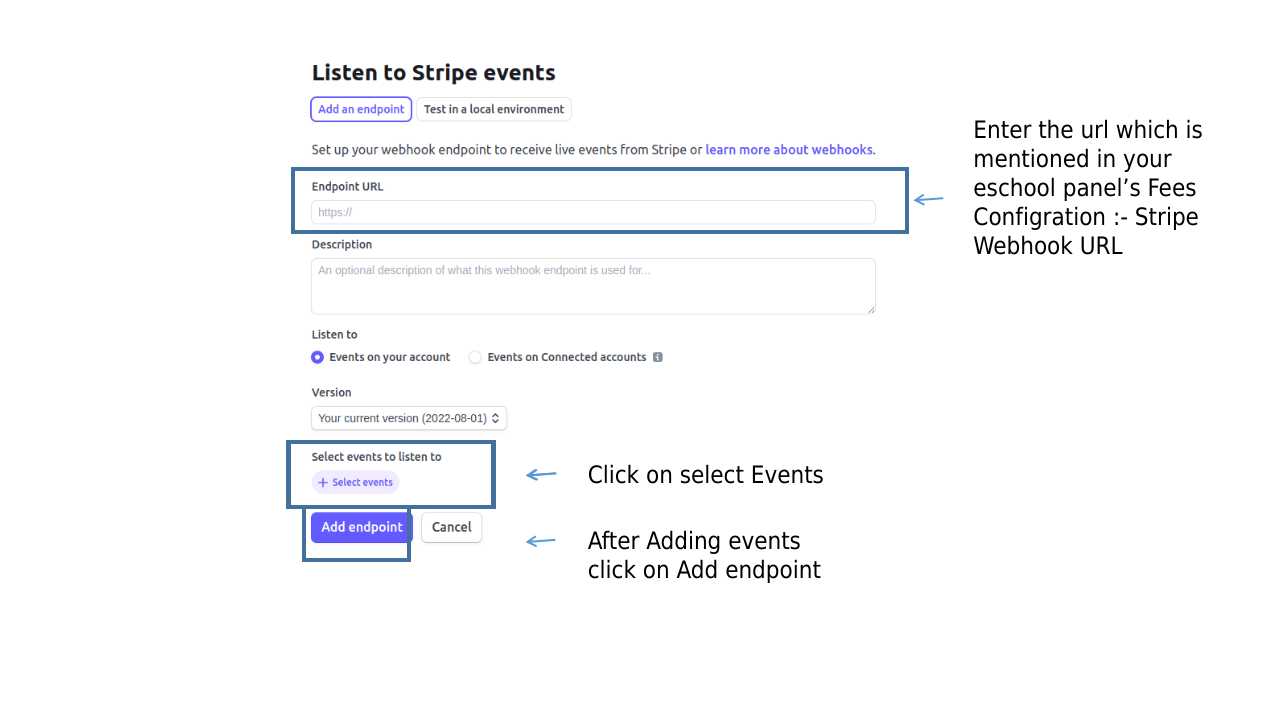
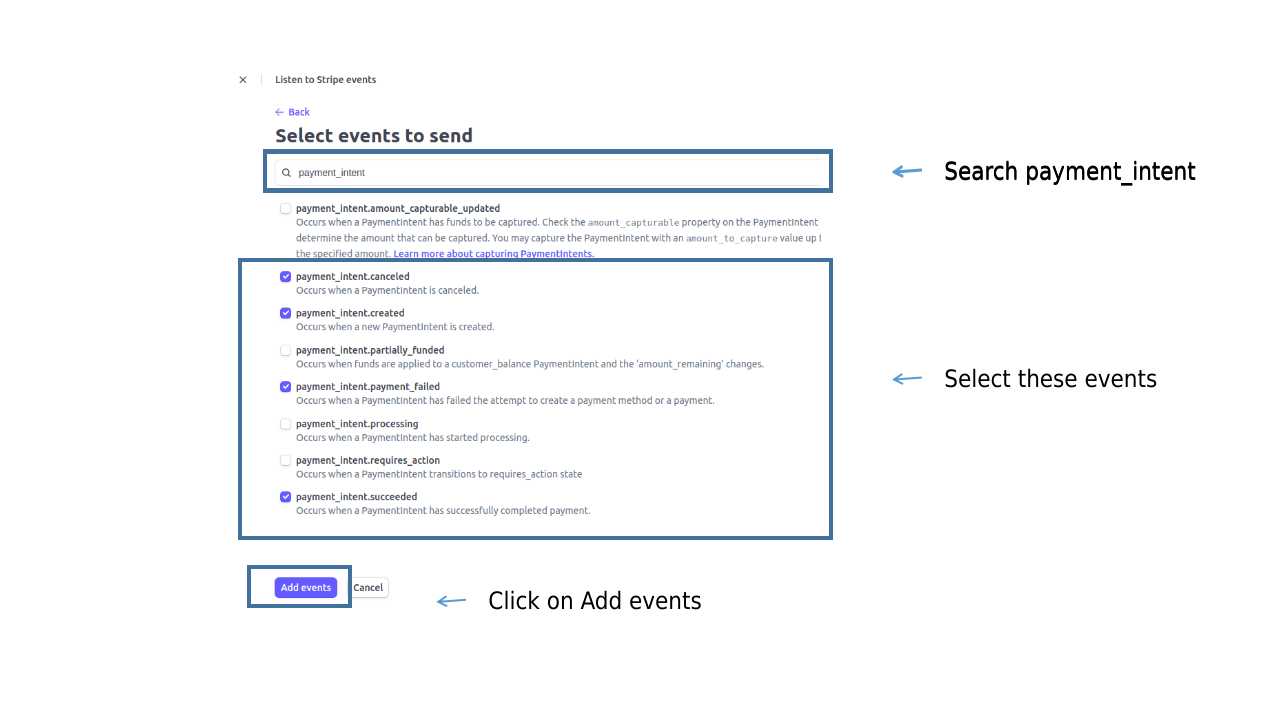
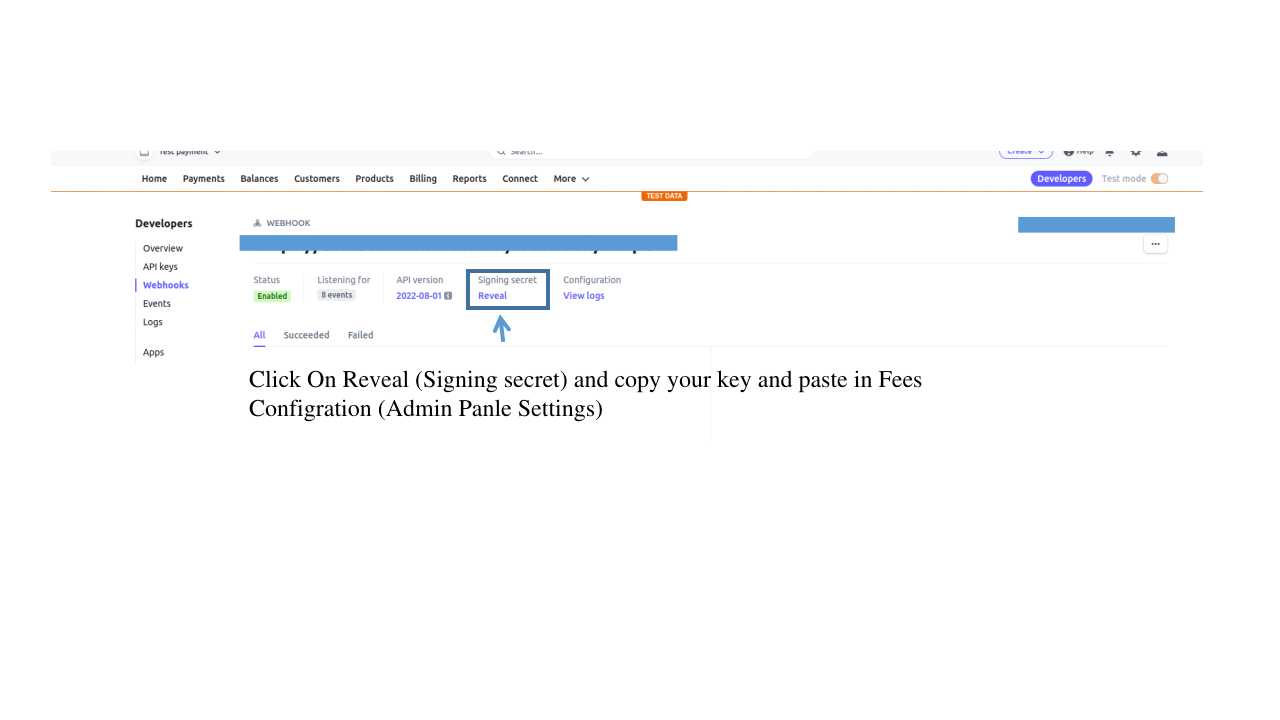
7. Payment Gateway's Webhook Configration
2. Webhook Configration for Stripe
Important note
- The steps for using the
Student-Parent AppandStaff-Teacher Appare mostly the same, except for managing the language option, which requires following different steps in each app. - While using either the
Student-Parent AppandStaff-Teacher App, keep in mind that the process for managing the language option is unique to each app and requires separate steps to be followed accurately.
Setup flutter
Setup flutter in your system
-
Visit flutter official website : https://docs.flutter.dev/get-started/install
for full install guide.
If you prefer video tutorials, we recommend this playlist for the full installation process
https://www.youtube.com/playlist?list=PLSzsOkUDsvdtl3Pw48-R8lcK2oYkk40cm
Change package name
- Unzip the downloaded code. After unzipping you will have e-School Saas - Flutter Code zip folder. Unzip that folder and open it in Android Studio or Visual Studio Code.
-
Open ide terminal go to your project path and execute command
flutter pub get
-
If you are running this app for ios then run these following commands in terminal.
cd ios
pod install
cd ..
-
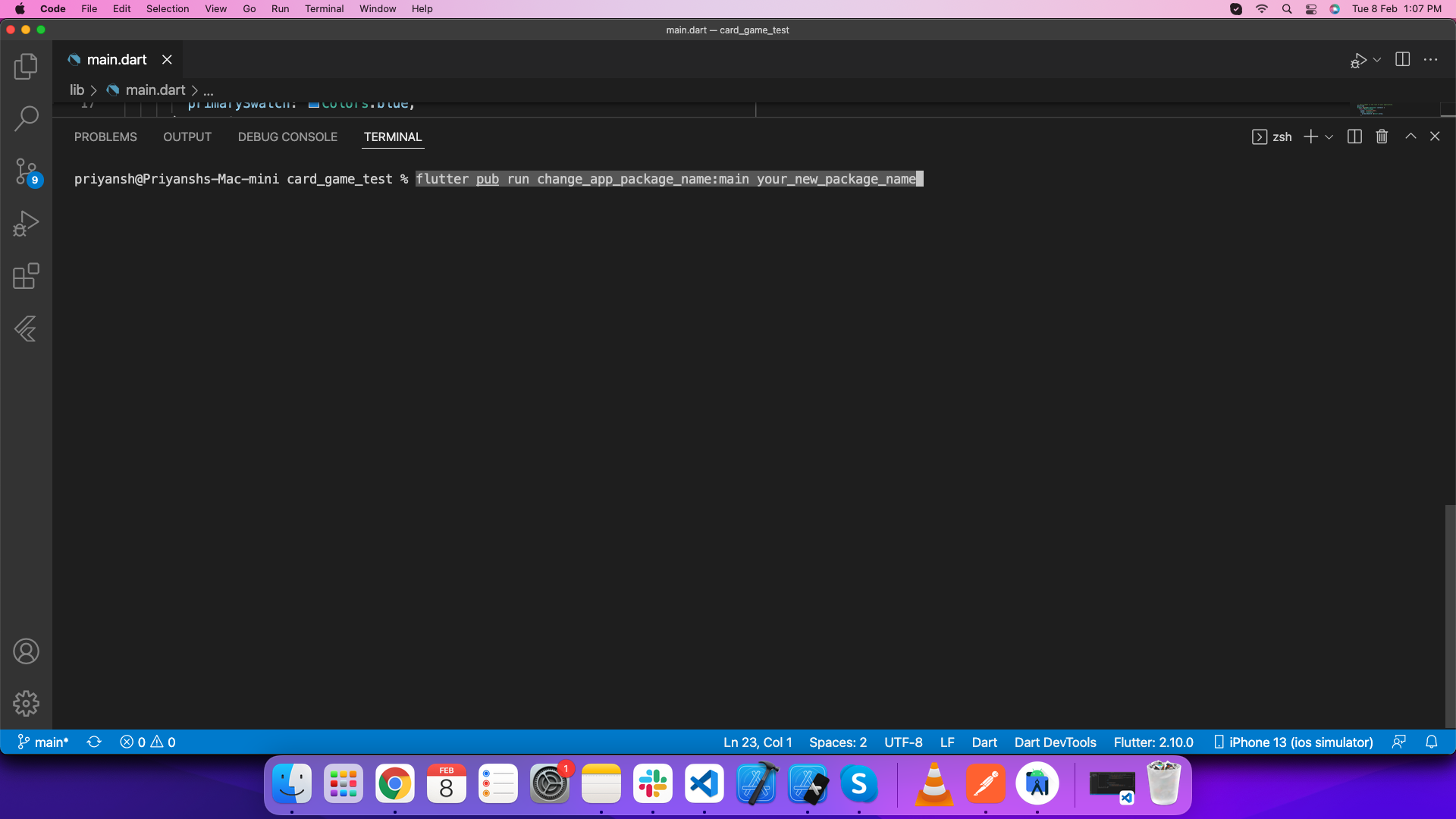
Change package name of android app
Execute this command in your terminal
flutter pub run change_app_package_name:main your_new_package_name
-
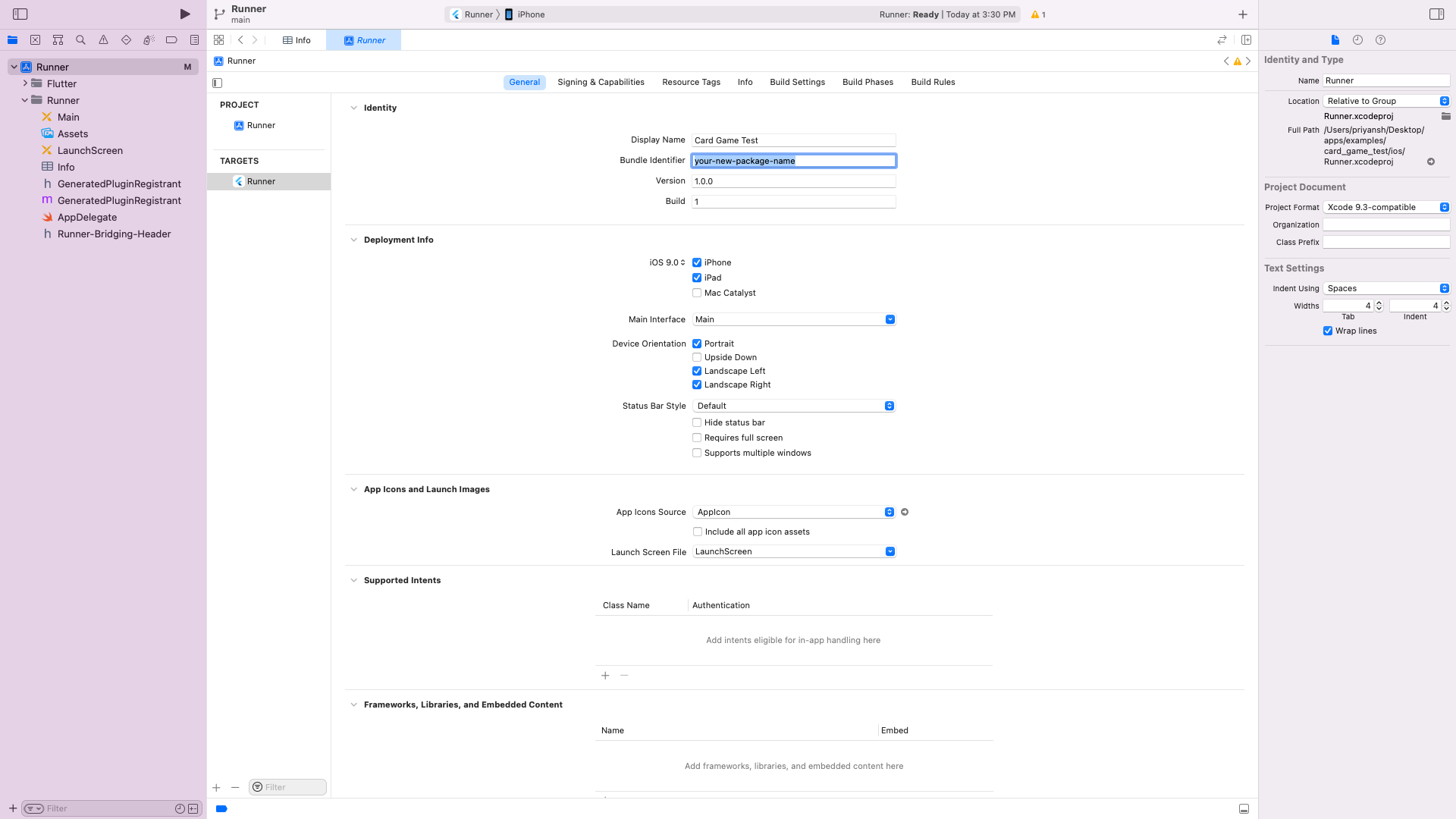
Change package name of ios app
Open ios folder of this project in xcode. Go Select Runner->Targets->General->Identity and enter new package name in Build Identifier.
Integrate with firebase
-
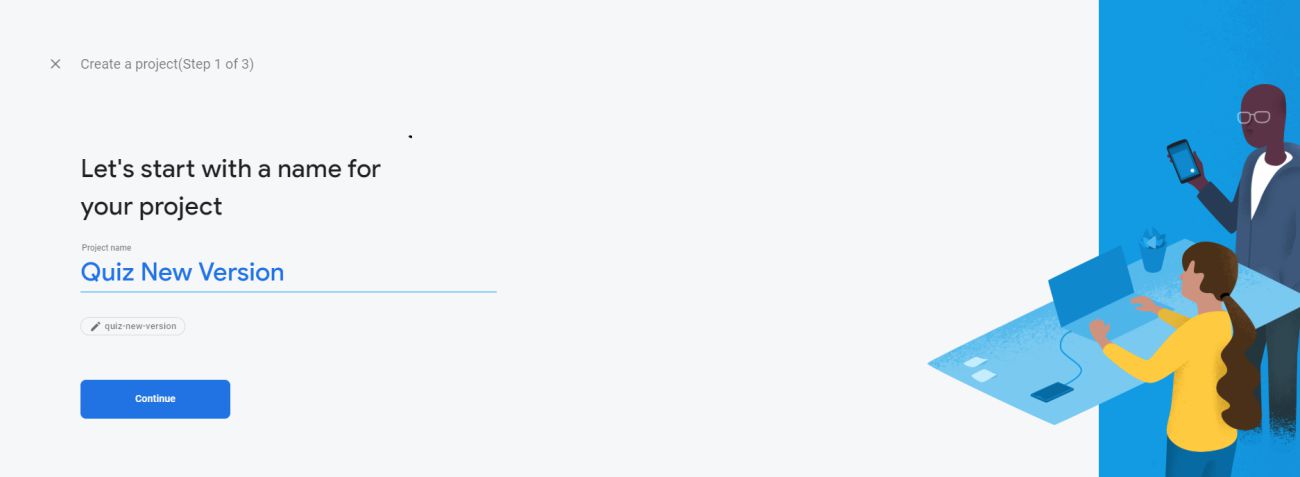
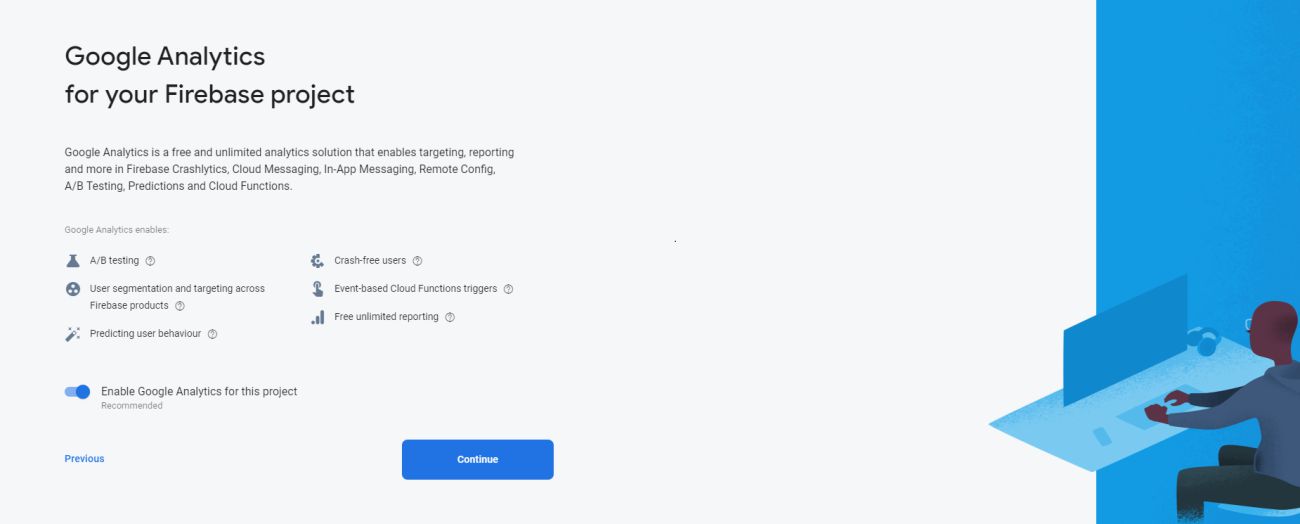
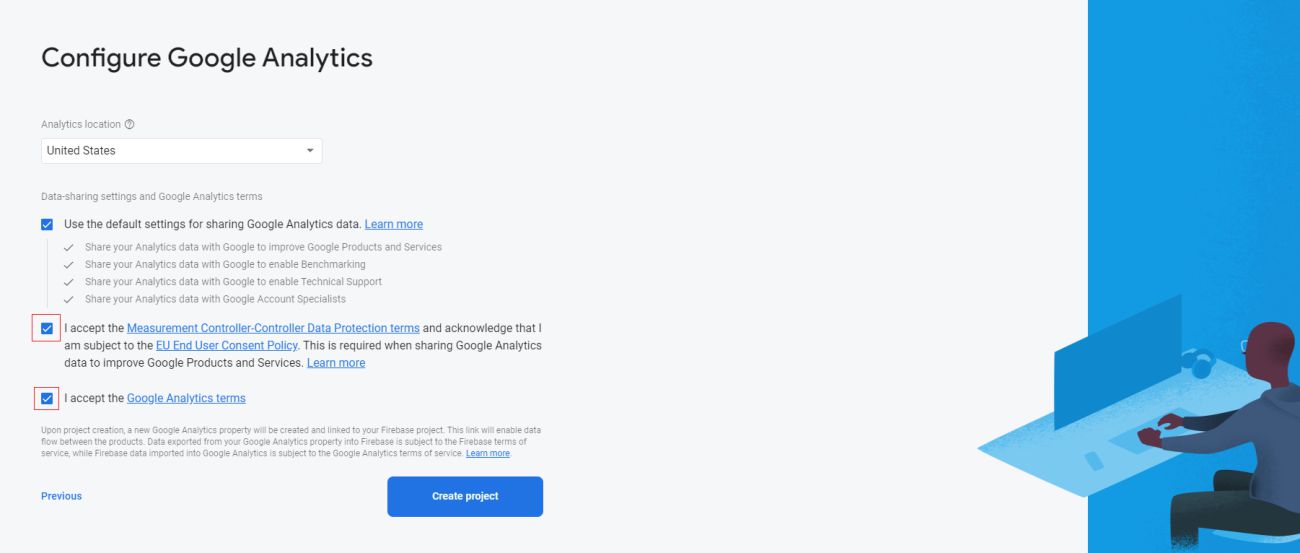
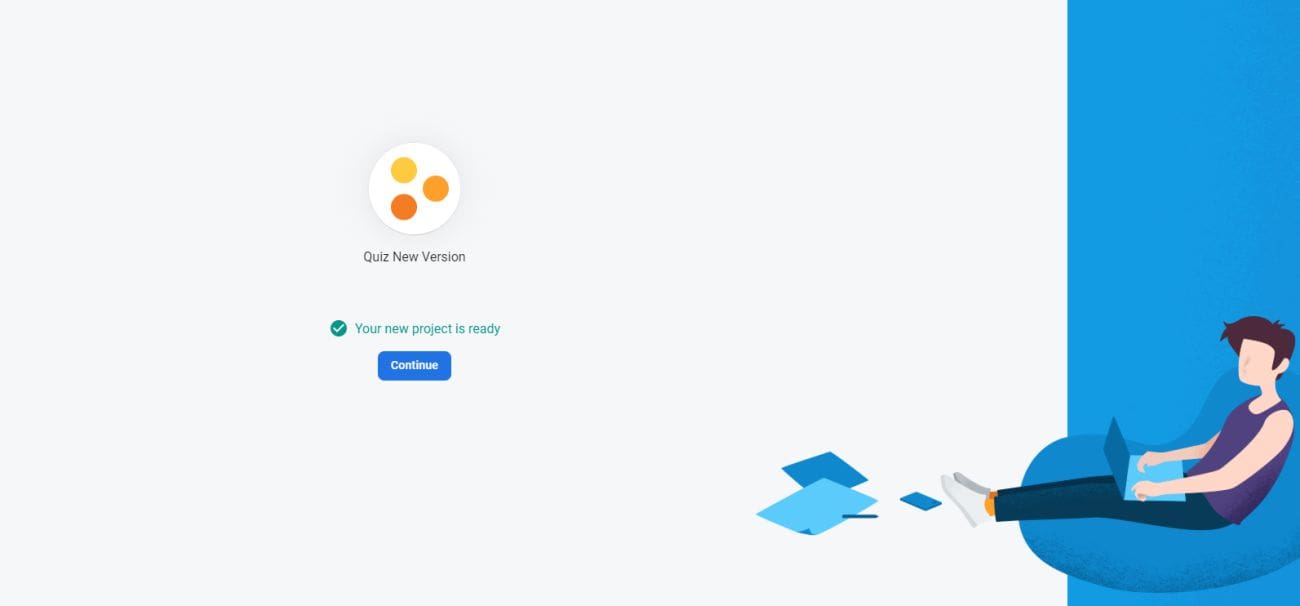
Create firebase project in your account
-
To setup the firebase in your flutter app, please follow the steps given in the following link. https://firebase.google.com/docs/flutter/setup
-
To setup notificaiton settings in ios, please follow the steps given in the following link. https://firebase.flutter.dev/docs/messaging/apple-integration
Integrate with admin panel
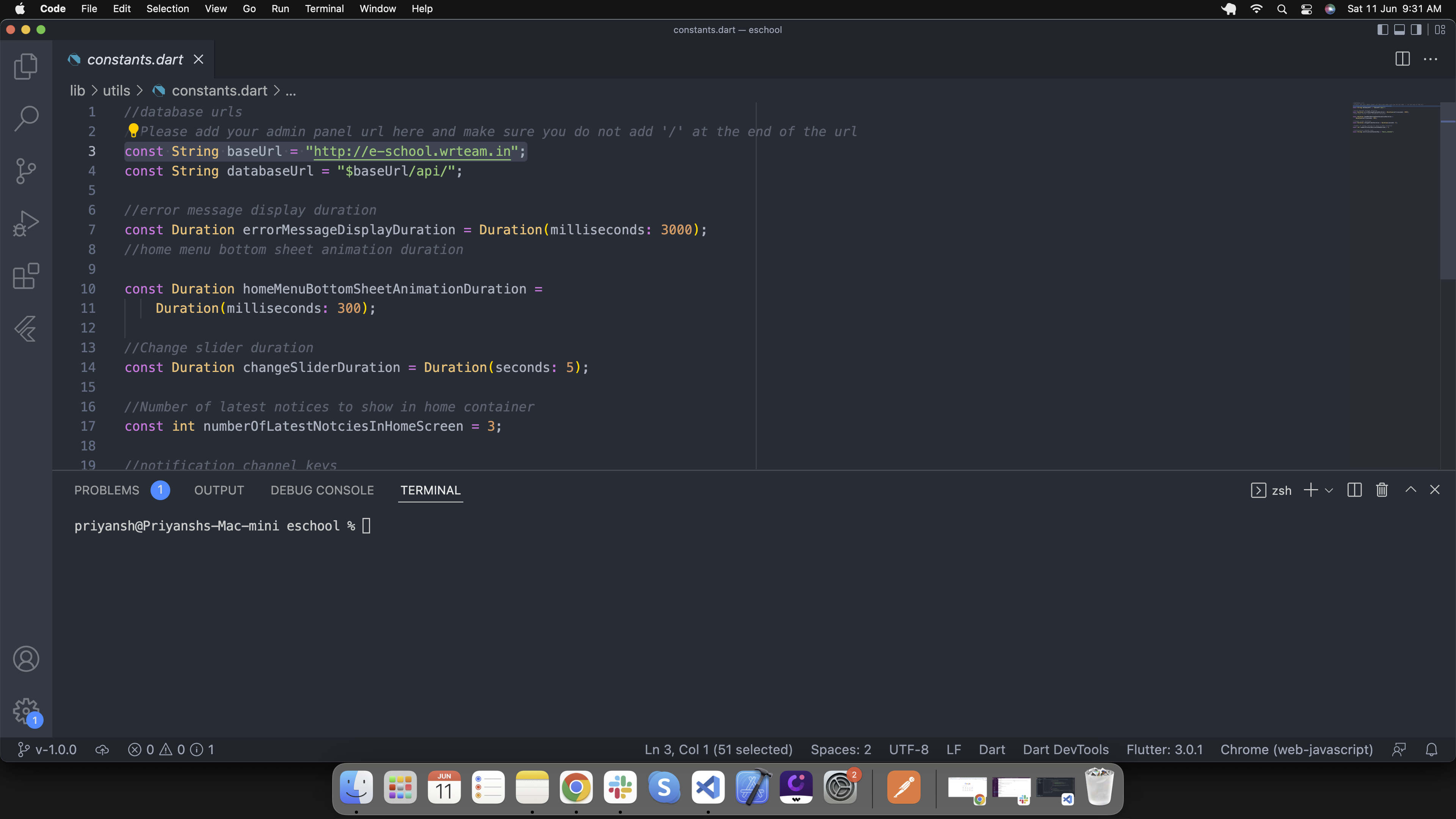
Go to lib/utils/constants.dart and replace the baseUrl with your admin panel url.
Change app logo
Add Logo Manually
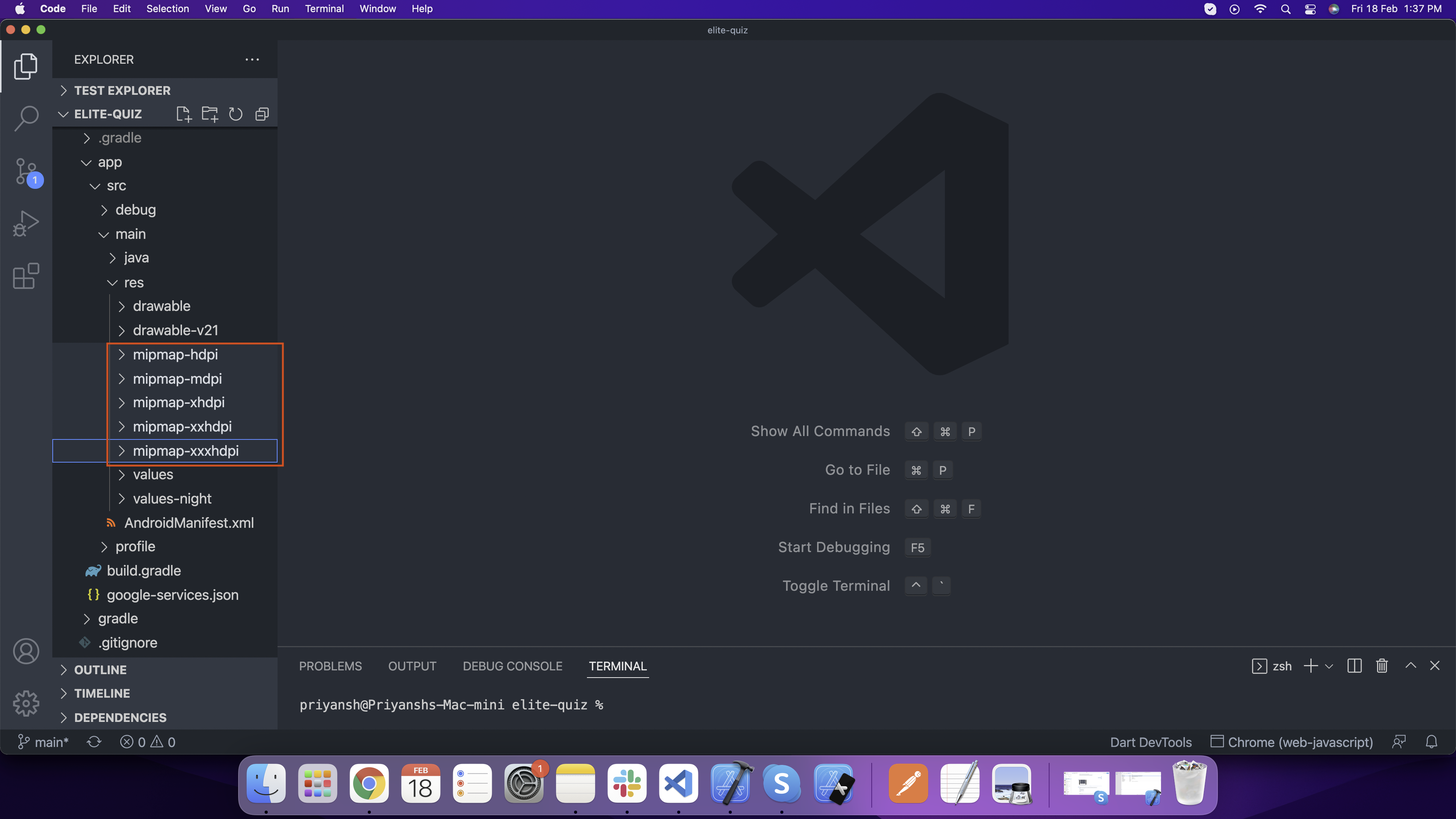
For Android, open android > app > src > main > res and add here your logo according to device screen size
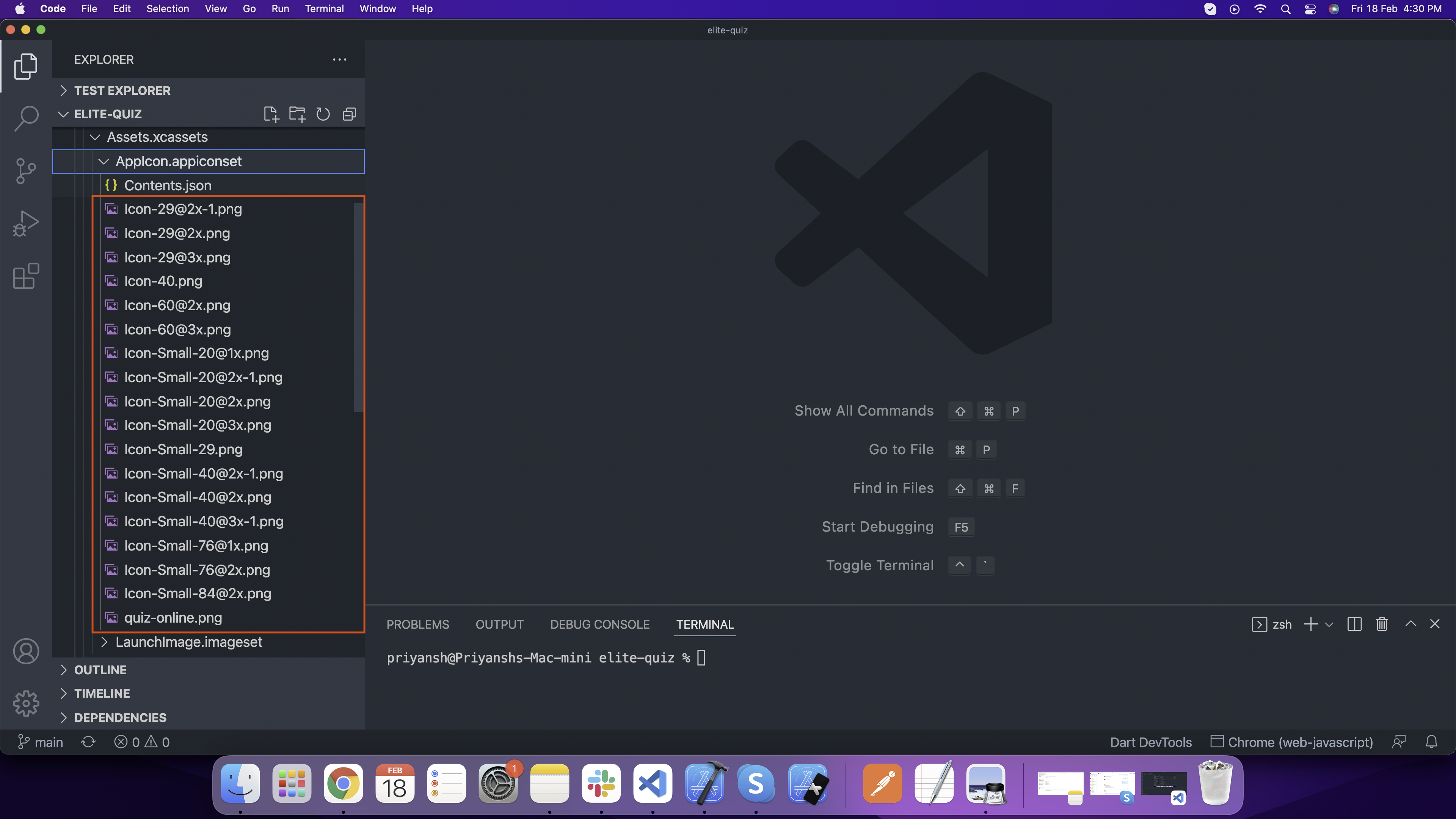
For IOS open ios > Runner > Assets.xcassets > AppIcon.appiconset here and add your logo according to diffrent size.
Generate Logo Files With Package
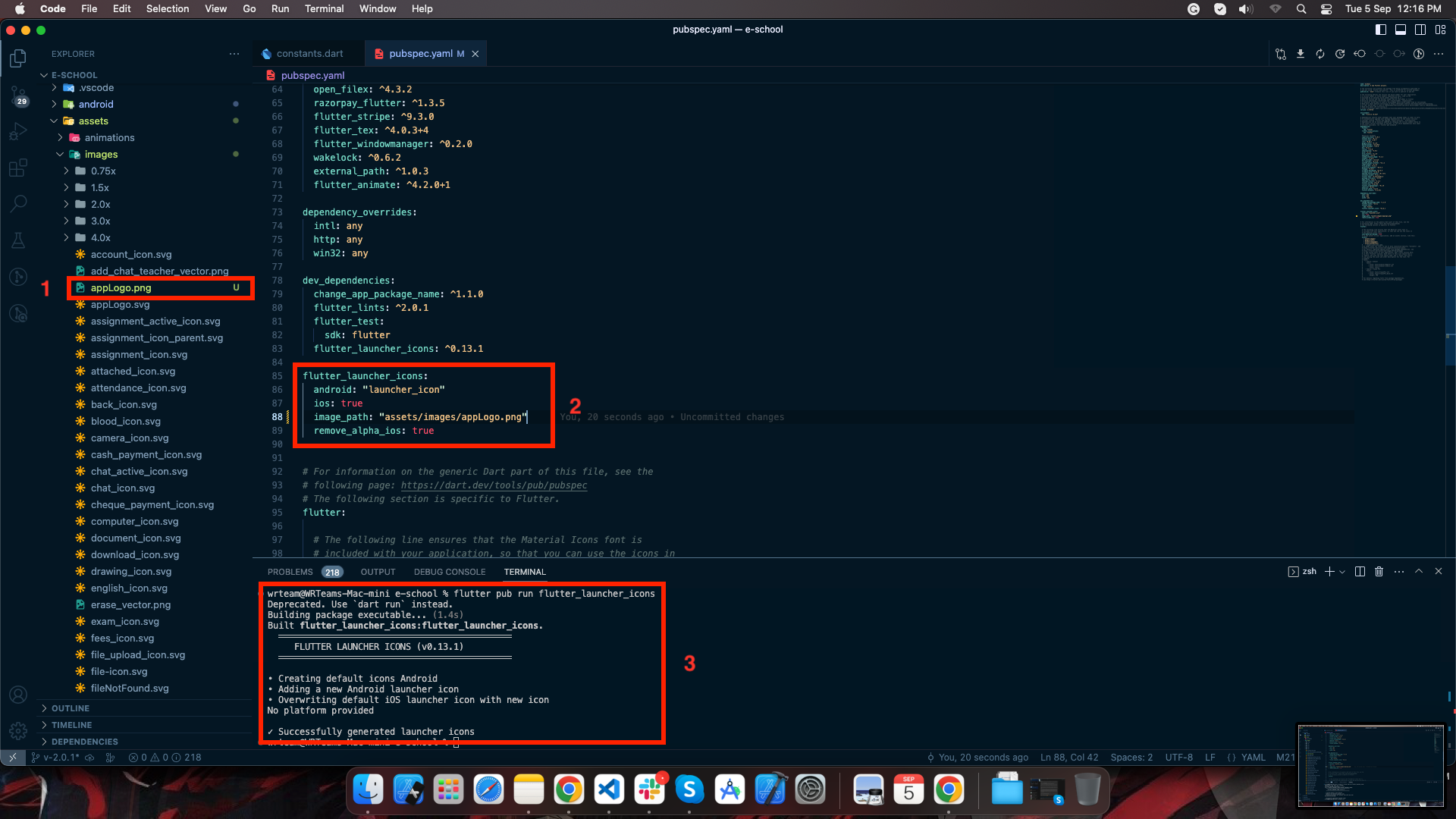
1. Add your logo file in assets/images folder
2. Add it's path and filename in pubspec.yaml file under flutter_launcher_icons configurations
3. Run this command to generate the ic_launcher files for both Android and IOS:
flutter pub
run flutter_launcher_icons
Change app name
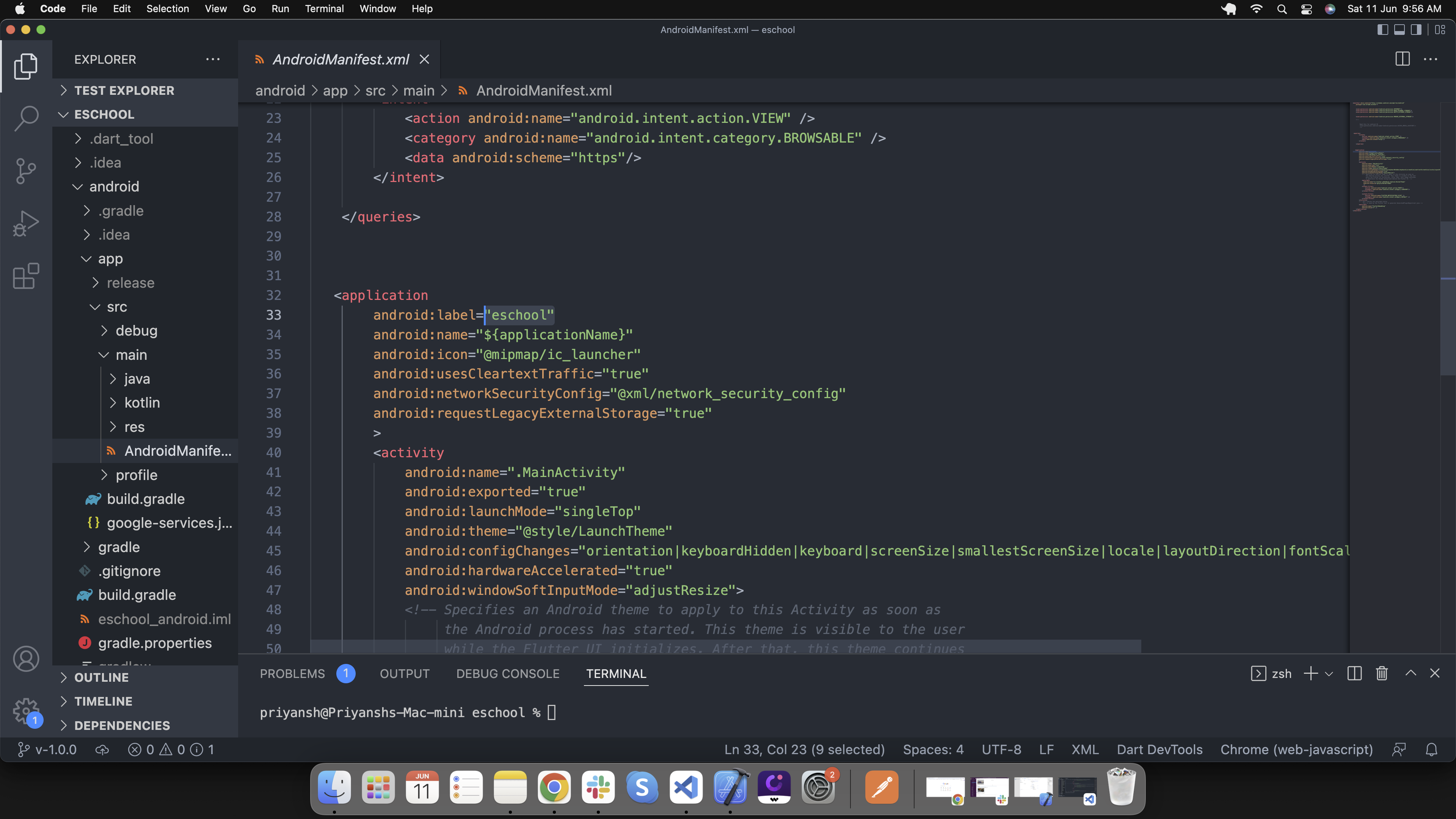
For Android, go to android/app/src/main/AndroidManifest.xml and change the app name as shown in image. Replace the selected eschool text with your school name
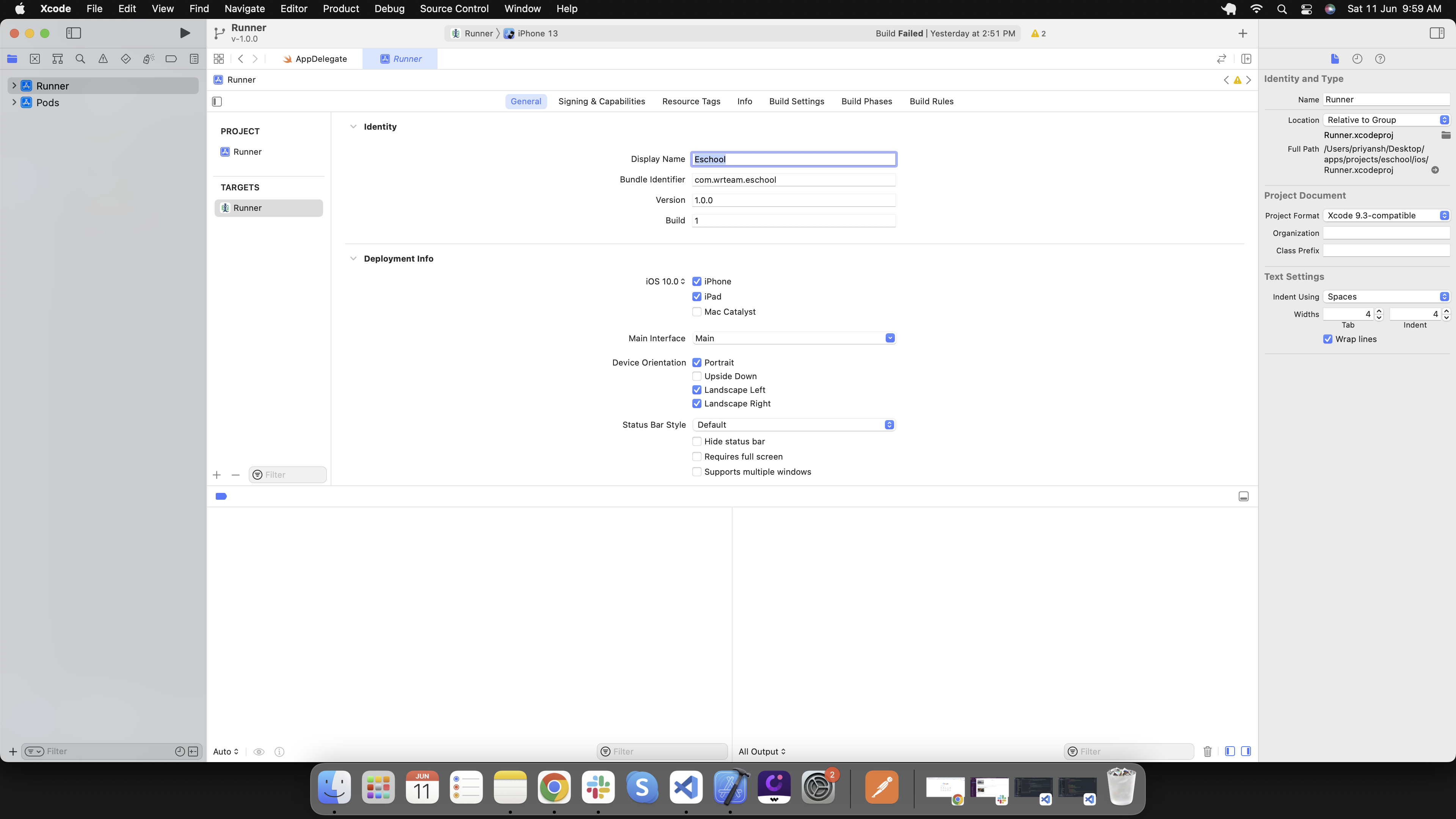
For IOS open this project in xcode and enter your app name in display name field as shown in image.
Run this app
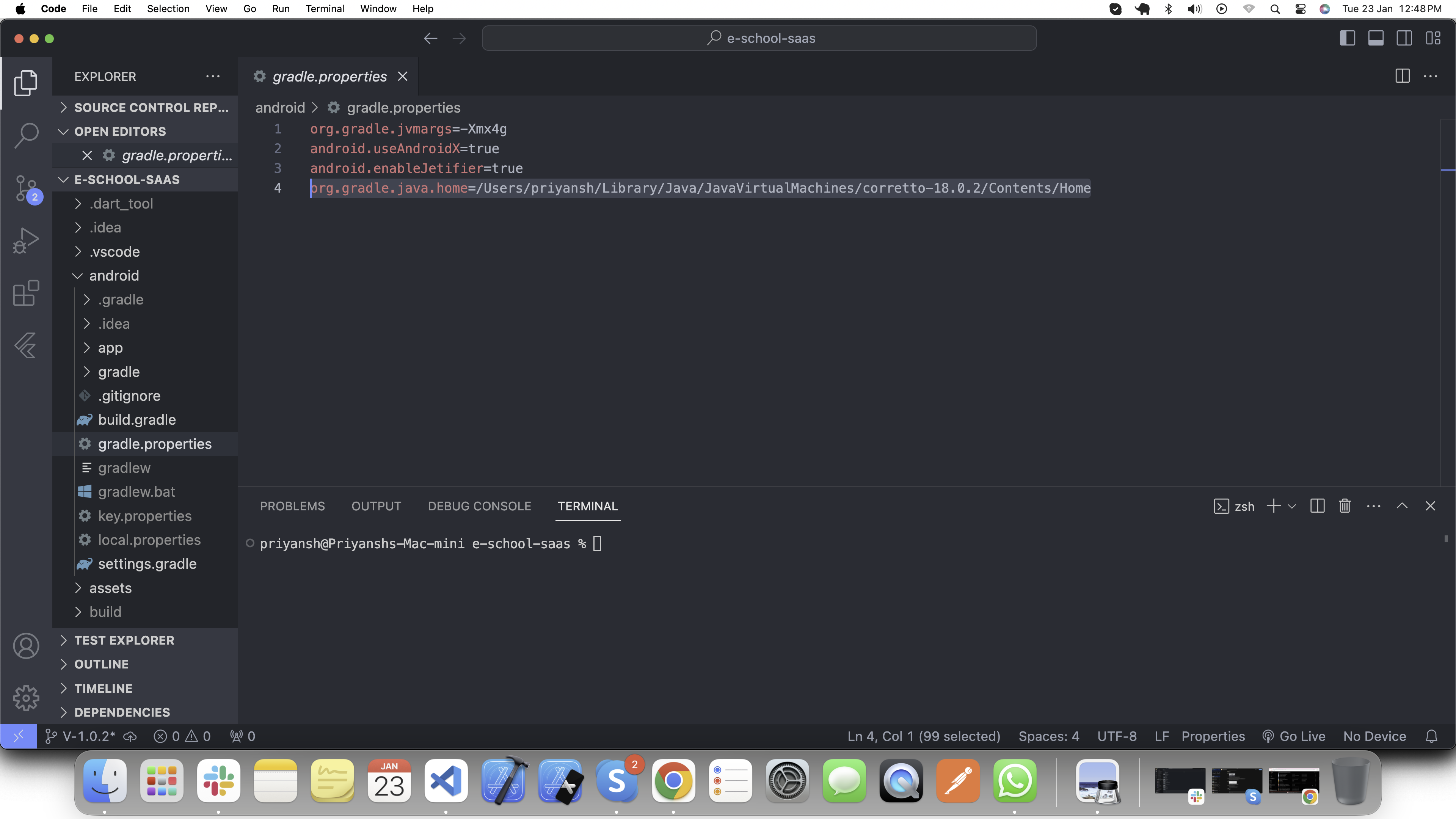
Please setup java path in android/gradle.properties file as shown in the image.
Open your terminal, navigate to your project path and execute the following command to run this app.
flutter run
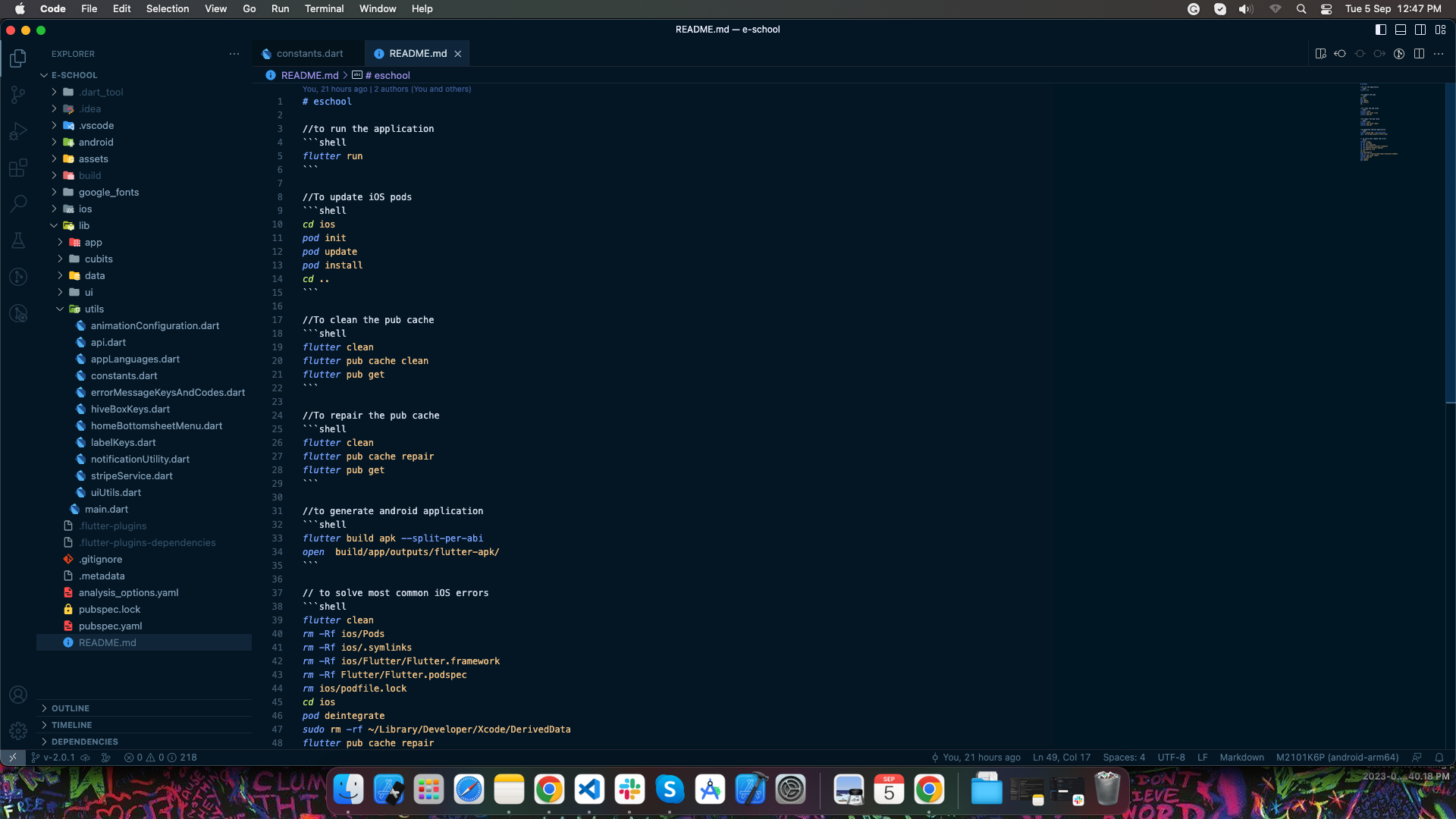
Go to README.md file to check all the commonly used commands to fix issues that you may encounter while running the app. You'll also be able to run the shell script directly if you're using Android Studio.
Change app theme
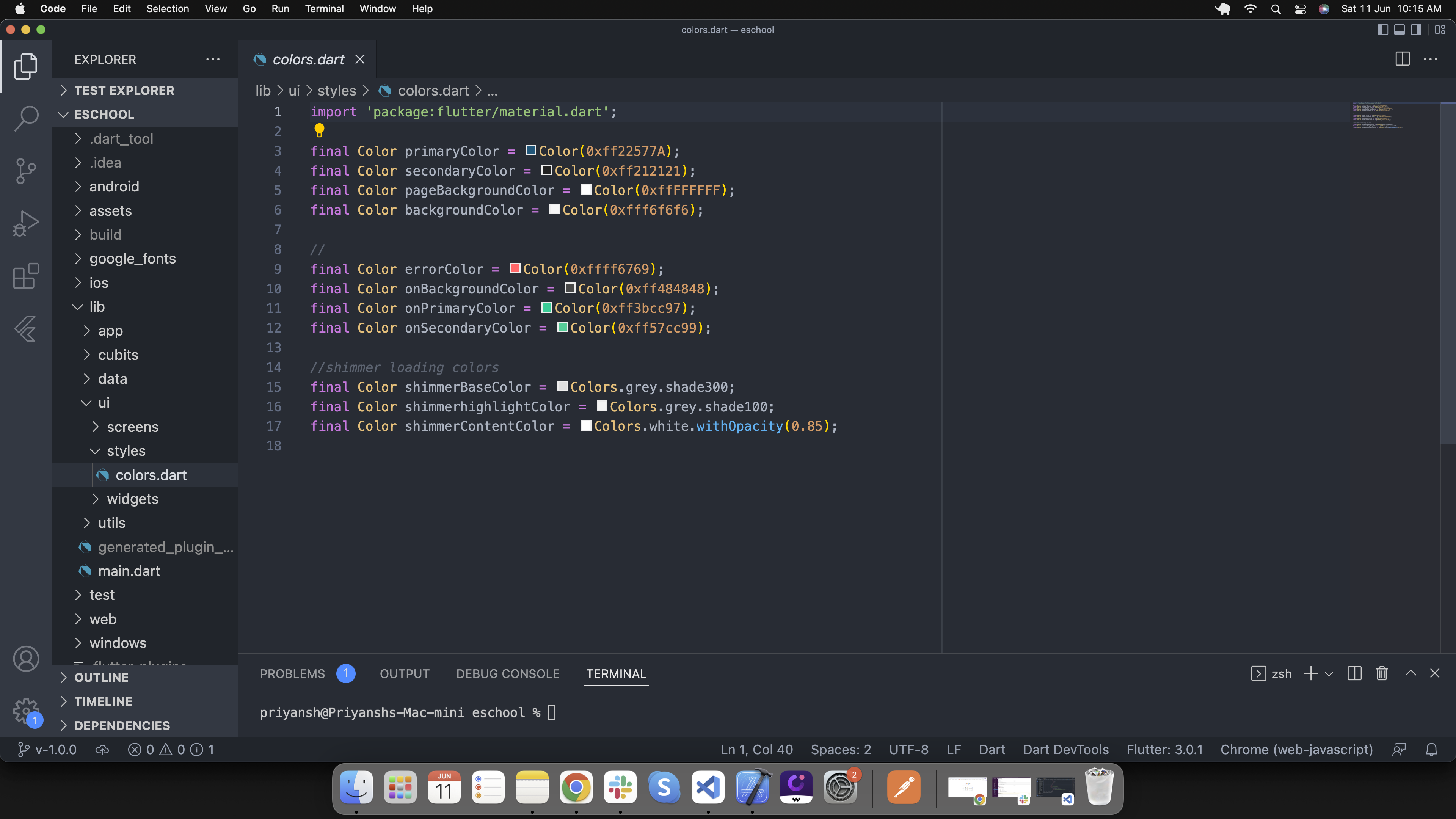
Go to lib/ui/styles/colors.dart and set your theme colors
Change font in app
-
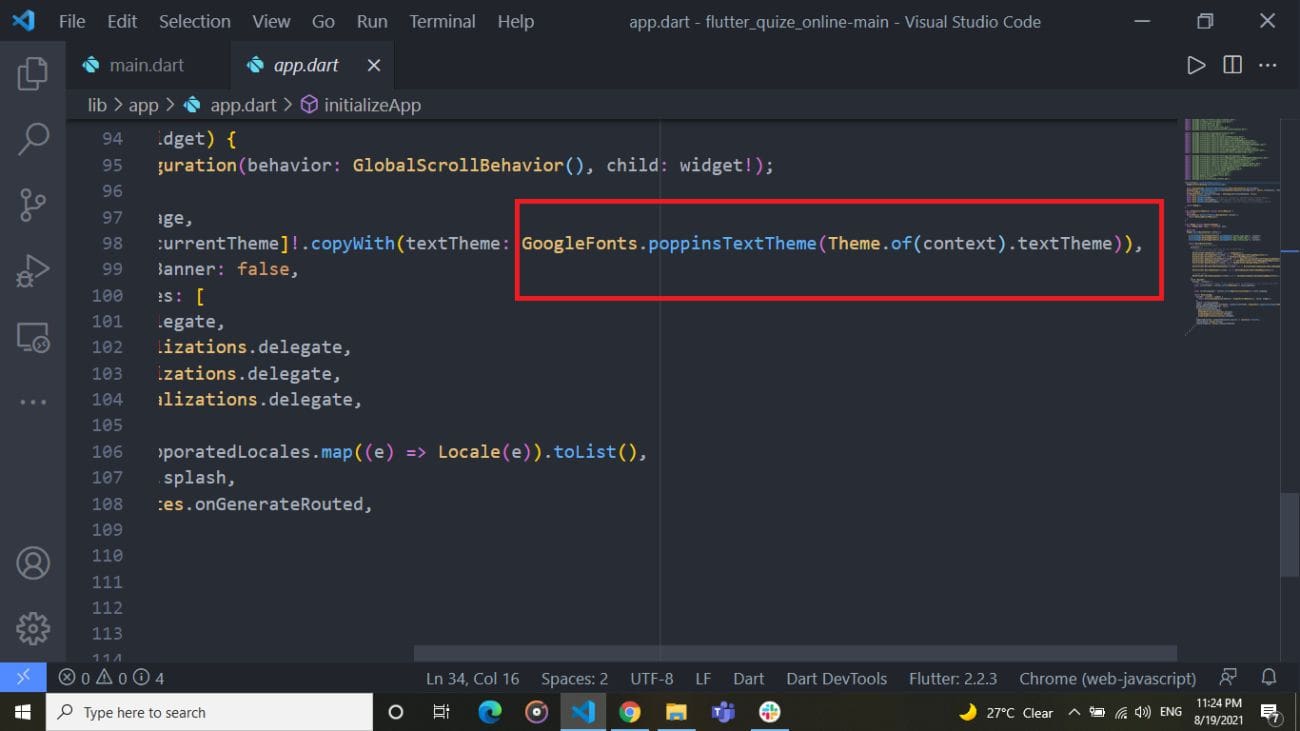
Go to lib/app/app.dart and add your font as shown in image.
-
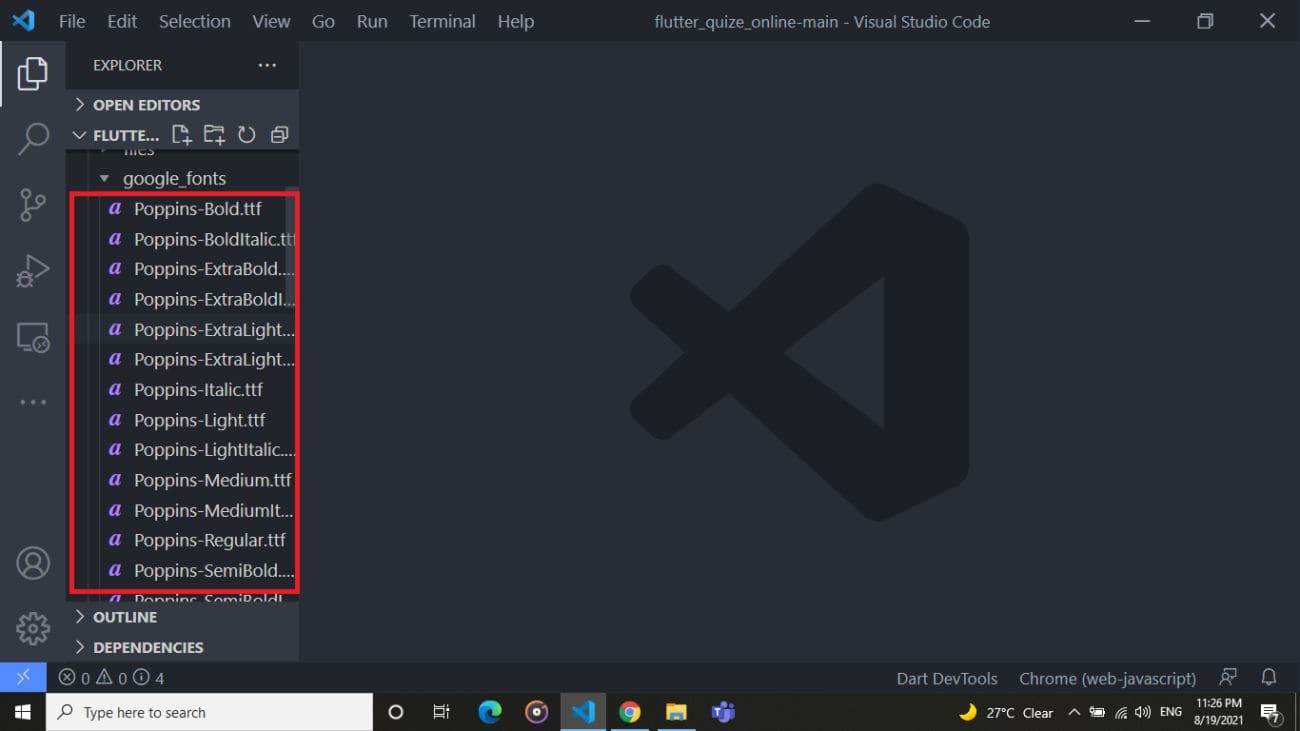
Go to assets/google_fonts/ and add .tff files of fonts.
Change language in Student-Parent app
-
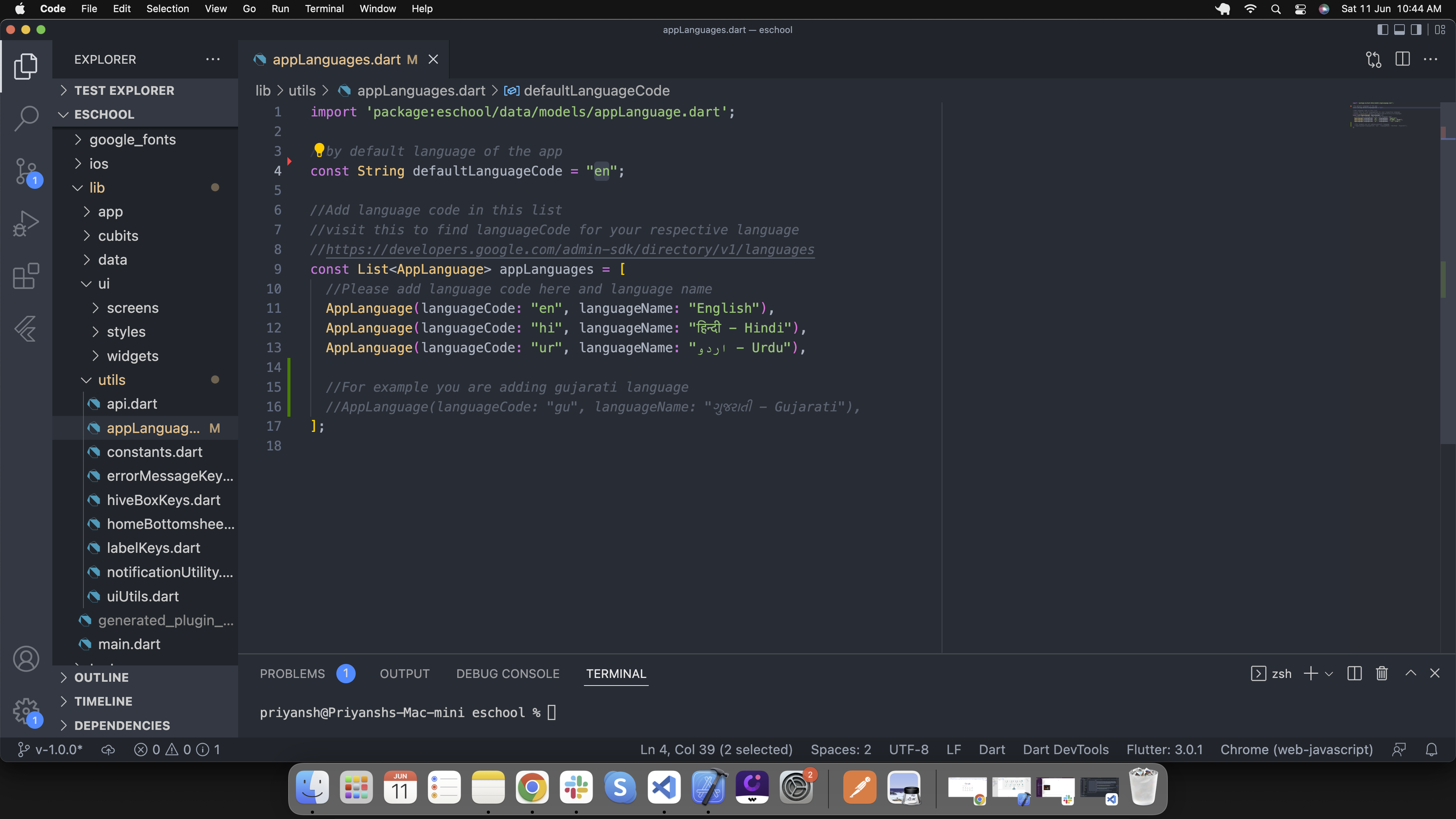
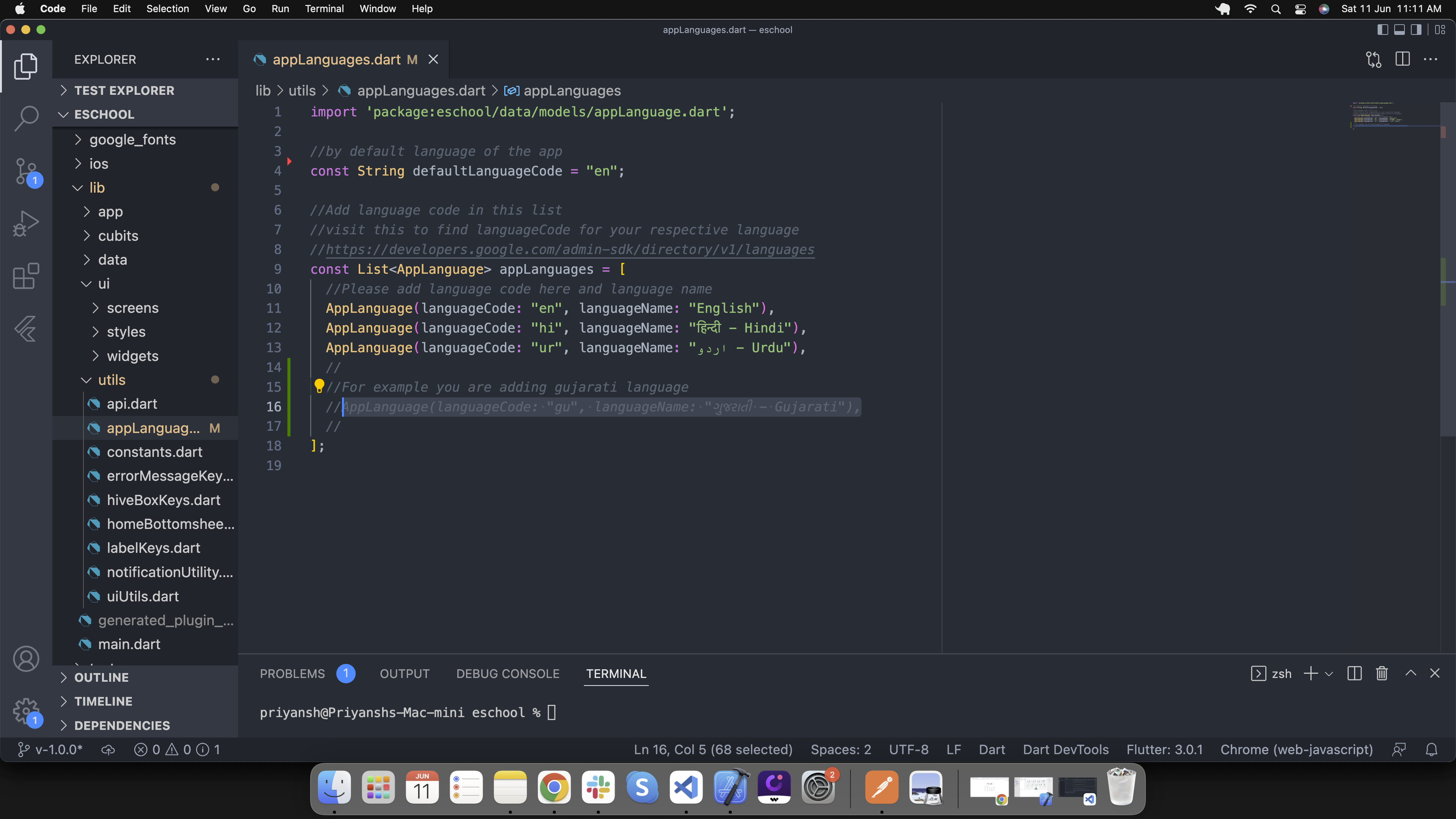
By default,default applicaiton language is english. If you want to change default language go to lib/utils/appLanguages.dart and add your respective language's code shown in below image. Get your language code from here https://developers.google.com/admin-sdk/directory/v1/languages.
-
If your default language code is not in app language list add language details in list as shown in below image. Go to lib/utils/appLanguages.dart
-
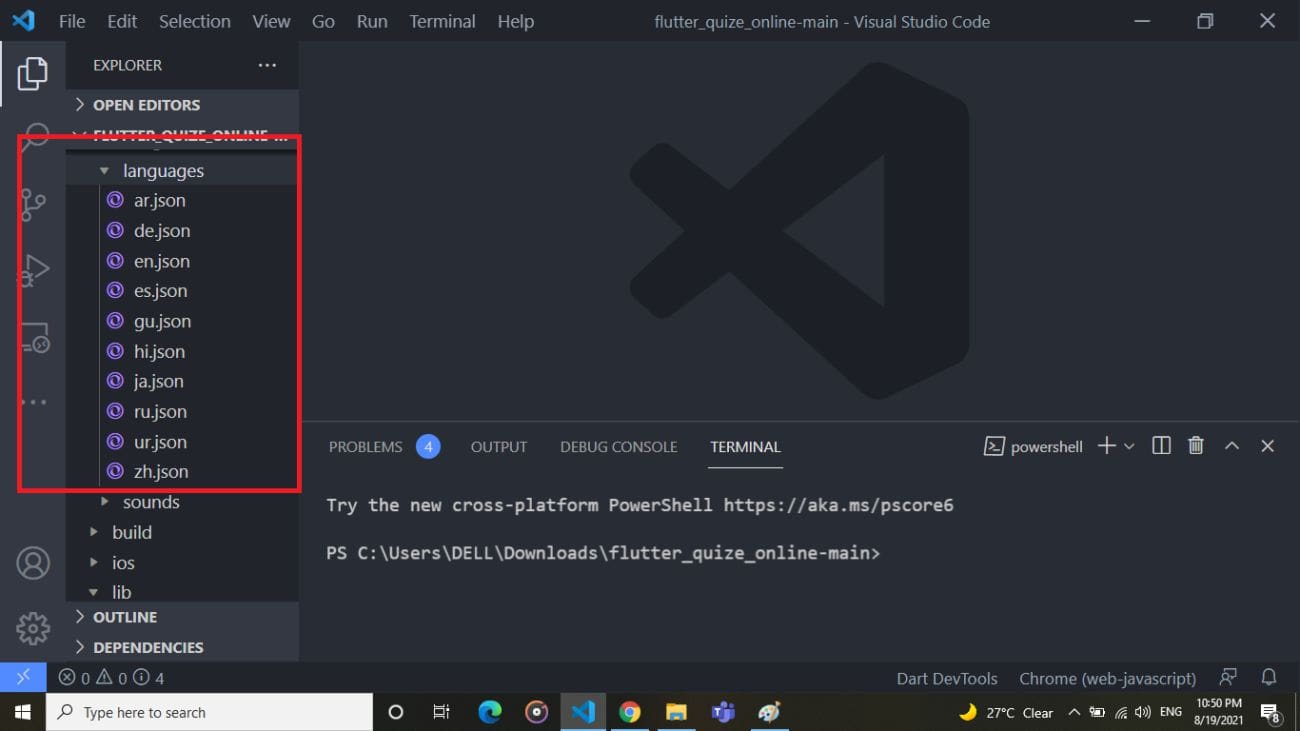
If your default language is not in assets/languages/[language-code].json then create new file in same folder with [language-code].json. Add all the labels from en.json and convert label values in your respective language
-
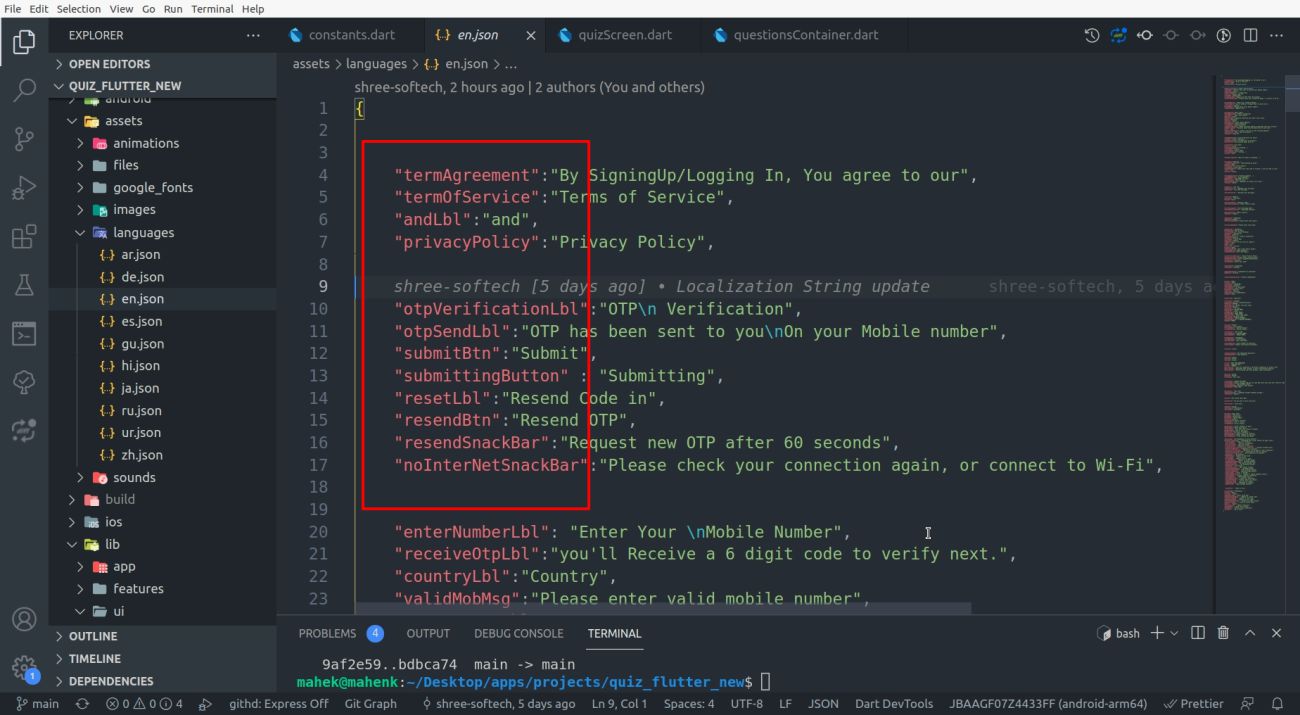
Copy all the labels form en.json file in your [language-code].json file.
-
If you want to add new language then follow the steps 2,3 and 4.
Change language in Staff-Teacher app
-
By default,default applicaiton language is english. If you want to change default language go to lib/utils/appLanguages.dart and add your respective language's code shown in below image. Get your language code from here https://developers.google.com/admin-sdk/directory/v1/languages.
-
If your default language code is not in app language list add language details in list as shown in below image. Go to lib/utils/appLanguages.dart
-
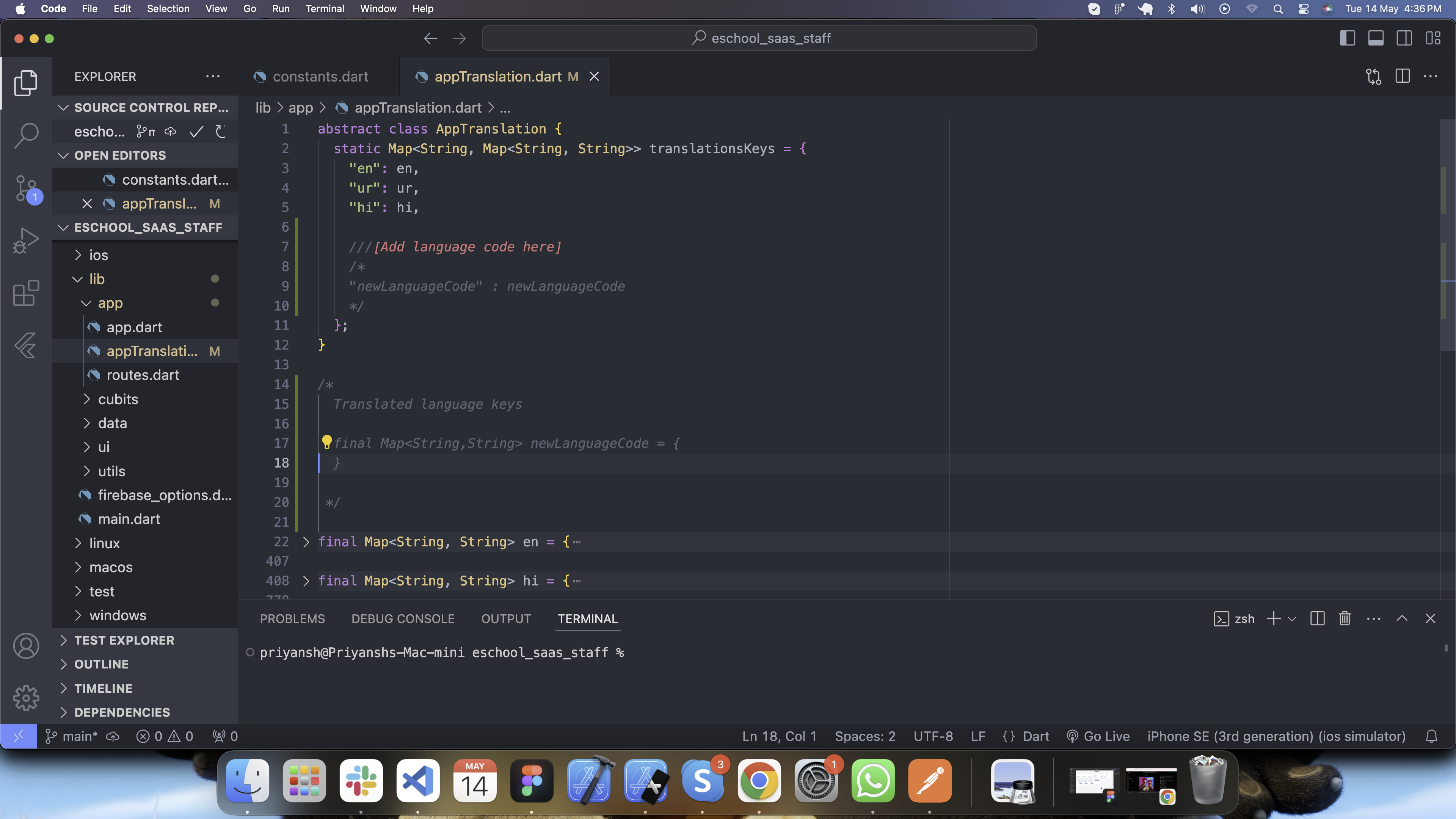
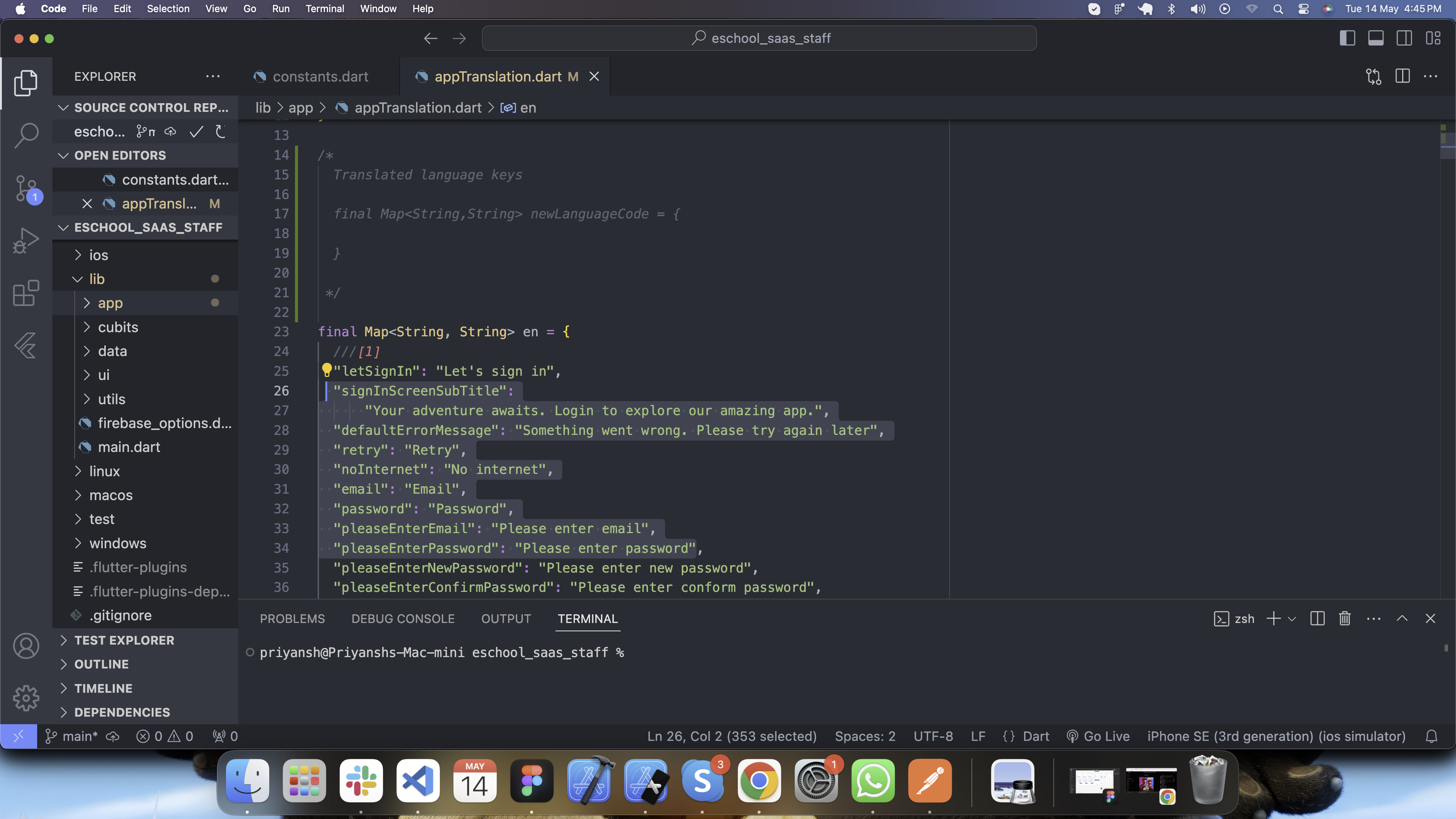
If your default language is not added into translationsKeys in the lib/app/appTranslation.dart then add language code as shown in image.
-
Create new variable Map
-
If you want to add new language then follow the steps 2,3 and 4.
Change item animations
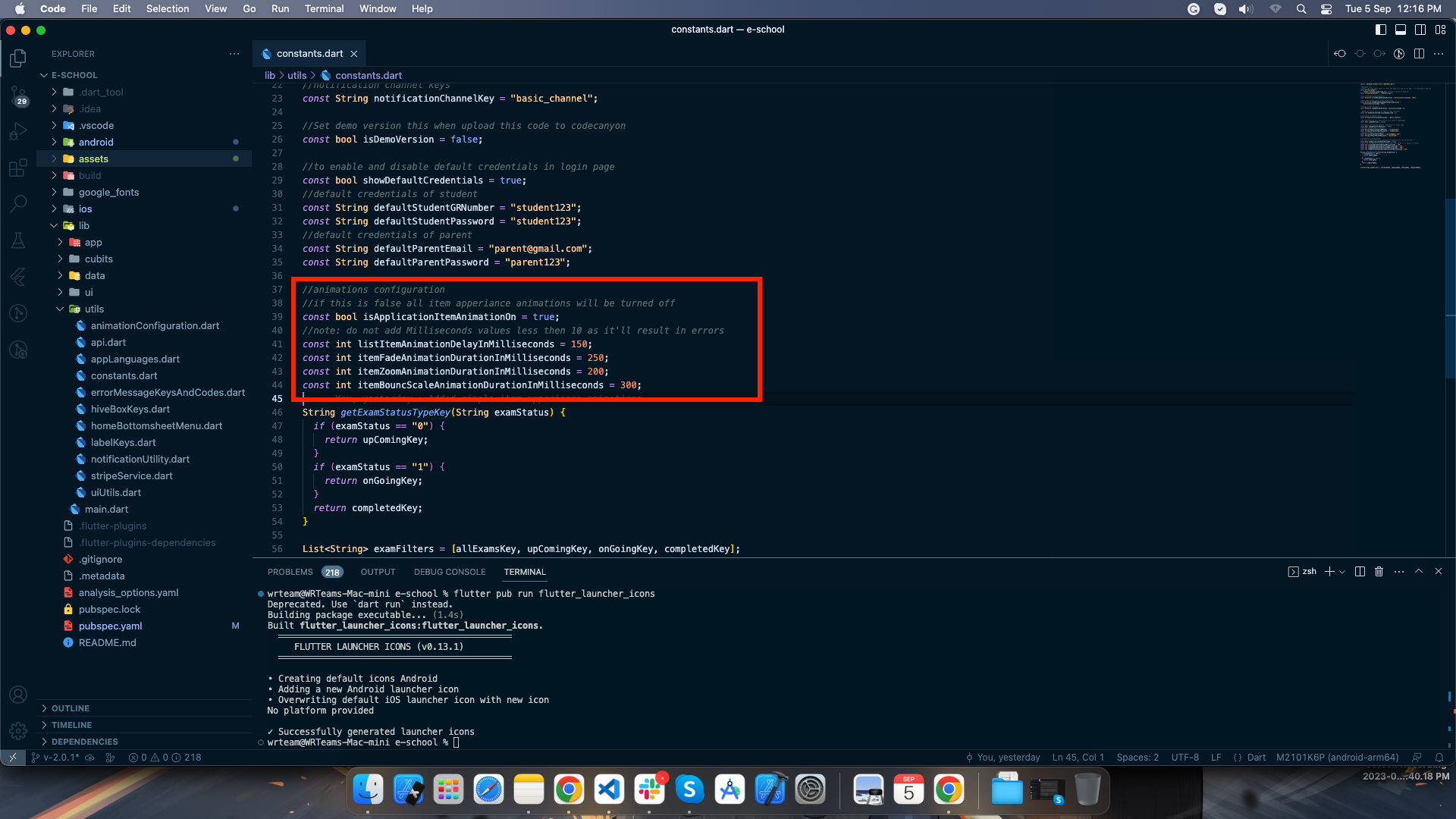
In the lib/utils/constants.dart file, to enable/disable item appearing animations, you
can change the value of
isApplicationItemAnimationOn to true/false according to your requirements.
To change the duration of animation you can adjust the milliseconds of different animations by
increasing/decreasing the values of the duration variables.
Generate release version
Create and add Key Store file for Androd:
-
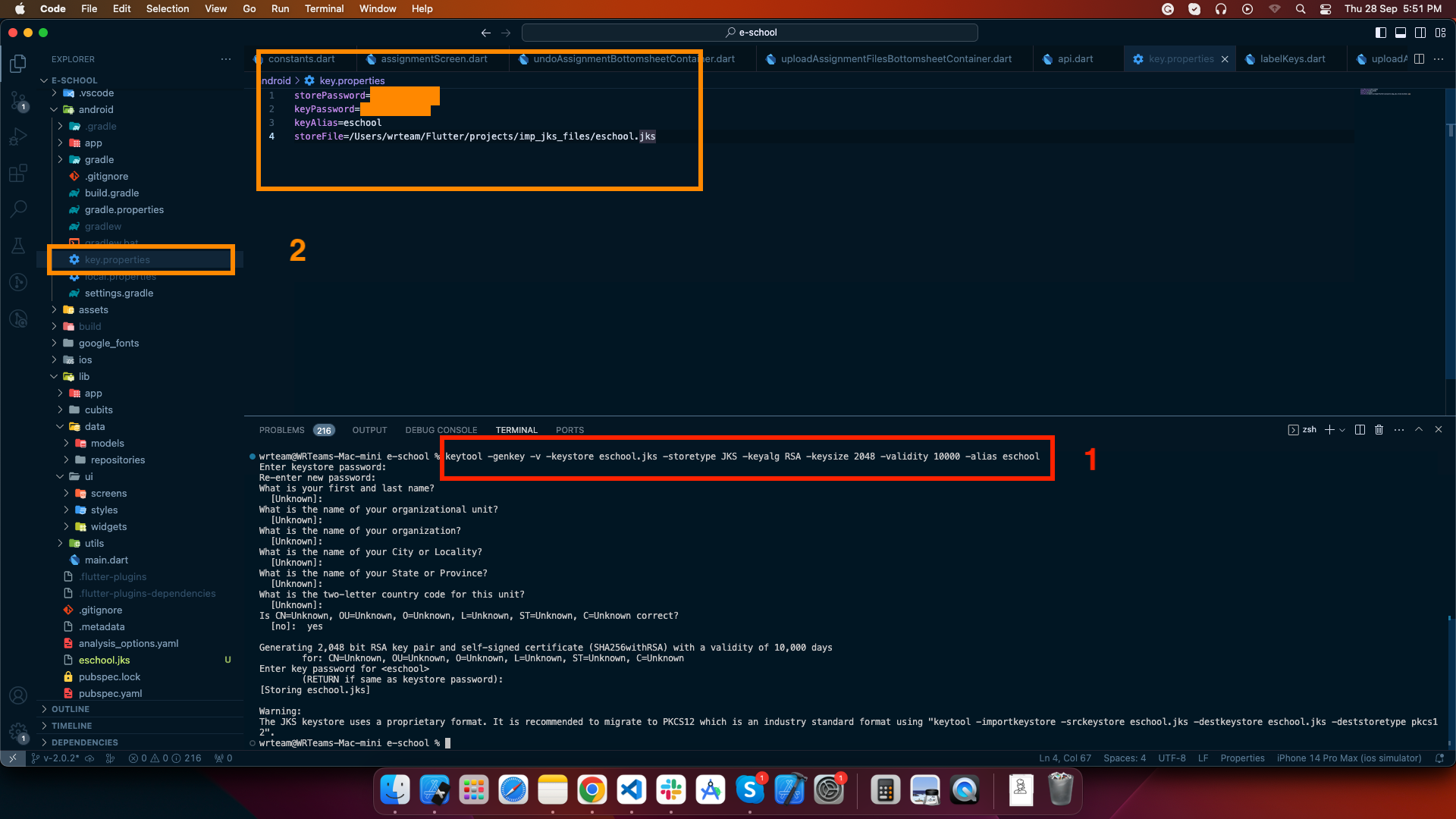
To generate a keystore file, run the following command:
keytool -genkey -v -keystore your-keystore-file.jks -keyalg RSA -keysize 2048 -validity 10000 -alias your-alias
You can replace "your-keystore-file.jks" with your preferred filename, but ensure you keep the ".jks" extension. Similarly, you can change "your-alias" as needed, but make sure to remember it. During this process, you will be prompted to set a password; please note that the password characters won't be visible on the screen.
Additional information may be requested, but you can simply press Enter to skip those as they are optional fields.
-
Create a file named "key.properties" in your project's "android" folder and add the following details, which correspond to the information you used in the previous step:
storePassword=[your-password-from-previous-step]
keyPassword=[your-password-from-previous-step]
keyAlias=[your-alias-from-previous-step]
storeFile=[your-keystore-file-location]
Replace the placeholders ("[]" brackets) with the actual details you used. Once these two steps are completed, you can generate either an APK file using the following command:
flutter build apk
Or an app bundle file for the Play Store upload with:
flutter build appbundle
Follow these links for more information on generateing the release version:
-
To generate release android app-bundle and publish to playstore follow https://flutter.dev/docs/deployment/android
-
To generate release ios apk and publish to appstore follow https://flutter.dev/docs/deployment/ios
Scope of Staff Teacher App
Accessibility of Teacher
- View Timetable
- Add and view attendance
- Add and view attendance
- Manage lesson, topics, manage class announcements and assignment
- Manage exam result
- Manage leaves
- View payrolls
- Edit profile and change password
Accessibility of Staff/Admin
- View classes and session years
- View and manage leaves
- View student attendance
- View class and teacher timetable
- View exam and exam results
- Manage notifications and announcements
- Manage payrolls
- View paid fees
- Edit profile and change password